
How to Convert IMAGES to JPG on WINDOWS Built-In Tools
🛍️ Products Mentioned (2)
Need JPGs but don’t want extra software? This tutorial shows how to convert images to JPG on Windows 11 using only built-in tools. We’ll use the Photos app (Open → Save as → JPEG) for quick single files and basic resizing/compression via Edit size. Next, the classic Paint route: Open with Paint → File → Save as → JPEG—perfect for PNG, BMP, TIFF, or HEIC once Windows can open them. For screenshots, the Snipping Tool lets you capture and Save as JPG instantly. Have a whole folder to convert? We’ll run a tiny PowerShell line that batch-opens images and outputs clean JPGs (no installs, system libraries only). Along the way, we’ll cover color/quality tips, preserving EXIF, safe overwrites, and how to handle HEIC from iPhones (enable Windows’ built-in support, then convert). Finish with a compact decision guide: Photos for quick export, Paint for manual control, PowerShell for bulk—so you get fast, consistent JPGs every time. Practice Job Interview and Employment Assessments: https://www.howtoanalyzedata.net/assessment-test-practice-and-preparation-resources/ #Windows11 #PhotosApp #Paint #PowerShell #JPG #HEIC #PNG Practice Employment Assessments: https://www.howtoanalyzedata.net/assessment-test-practice-and-preparation-resources/ ____ Download FREE Sample Hiring Assessment Test Questions (PDF eBook): https://www.howtoanalyzedata.net/0fyb ____ #job #jobs #hiring #jobsearching #jobopportunities #jobseekers #jobinterviewquestions #cusotmerservice #mindsetmatters #OT4E LET'S CONNECT - Subscribe on YouTube: https://youtube.com/@OnlineTrainingforEveryone - Connect on LinkedIn: https://www.linkedin.com/company/online-training-for-everyone/ - TikTok: https://www.tiktok.com/@onlinetraining4everyone - Follow on Facebook: https://facebook.com/OnlineTrainingForEveryone/ - Follow on Instagram: https://instagram.com/onlinetrainingforeveryone ____ LEGAL DISCLOSURE: Copyright © 2024 Online Training for Everyone LLC. All rights reserved. This training content was created by Online Training for Everyone LLC or its subsidiaries and hired contractors for illustrative purposes only to demonstrate fictitious data, ideas, and facts from the public domain related to the presented concepts. The content in this video is for informational purposes only and does not constitute professional advice. The actual user experience with the described system and content may be different and may not resemble the described content – viewer discretion is advised. Online Training for Everyone LLC and its affiliates make no warranty that: a) The materials are error-free, complete, reliable, or current b) Defects will be corrected c) The results obtained by the use of the demonstration components of this material will reflect the actual results obtained by the use of Online Training for Everyone LLC products and/or services. This training content may contain the trade names or trademarks of various third parties, and if so, any such use is solely for illustrative purposes only. All product and company names are trademarks(TM) or Registered(C) trademarks of their respective holders. Use of them does not imply any affiliation with, endorsement by, or association of any kind between them and Online Training for Everyone LLC. You should not rely solely on the information provided in this video and should seek professional advice as appropriate. #EmploymentTest #AssessmentTest #IQTest #OnlineTrainingForEveryone
🎬 More from Online Training for Everyone
How to Pass a PSYCHOMETRIC TEST: Top 5 Questions
192 views
How to Pass an APTITUDE TEST in 5 Minutes
236 views
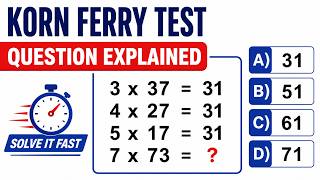
KORN FERRY HIRING TEST Tips and Tricks
926 views
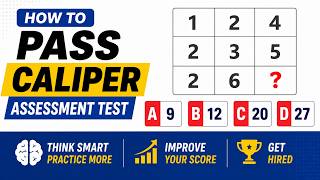
CALIPER ASSESSMENT TEST Practice Question
914 views
EPIC HIRING ASSESSMENT TEST Practice Question
901 views
CCAT ASSESSMENT TEST Practice Question Explained
369 views