
Auto Back Up Files to Google Drive — Fast Setup (Windows/Mac)
🛍️ Products Mentioned (2)
Protect your files with automatic backups to Google Drive. In this step-by-step guide, you’ll download Google Drive (Drive for desktop), sign in, and choose folders (Desktop, Documents, Pictures, project folders) to sync to My Drive or a Google shared drive. We’ll compare Stream vs Mirror modes, set upload rules, and show how to verify versions and recover edits with Google One version history. You’ll also learn phone workflows using the Google Drive app and Google Photos for camera uploads—so everything lands in My Google Drive without manual steps. Practice Job Interview and Employment Assessments: https://www.howtoanalyzedata.net/assessment-test-practice-and-preparation-resources/ What you’ll learn: Install & sign in to Google Drive desktop; pick My Drive or Shared drive Set folders to upload to Google Drive automatically (Stream vs Mirror) Use Google Docs/Slides with offline files and seamless sync Handle Google Files conflicts, paused sync, and Google Drive login issues Add mobile auto-uploads with Google Drive app and Google Photos Restore previous versions with Google One and manage storage Perfect for students, teams, and families who want a reliable Google Drive safety net that runs in the background. Practice Employment Assessments: https://www.howtoanalyzedata.net/assessment-test-practice-and-preparation-resources/ ____ Download FREE Sample Hiring Assessment Test Questions (PDF eBook): https://www.howtoanalyzedata.net/0fyb ____ #job #jobs #hiring #jobsearching #jobopportunities #jobseekers #jobinterviewquestions #cusotmerservice #mindsetmatters #OT4E LET'S CONNECT - Subscribe on YouTube: https://youtube.com/@OnlineTrainingforEveryone - Connect on LinkedIn: https://www.linkedin.com/company/online-training-for-everyone/ - TikTok: https://www.tiktok.com/@onlinetraining4everyone - Follow on Facebook: https://facebook.com/OnlineTrainingForEveryone/ - Follow on Instagram: https://instagram.com/onlinetrainingforeveryone ____ LEGAL DISCLOSURE: Copyright © 2024 Online Training for Everyone LLC. All rights reserved. This training content was created by Online Training for Everyone LLC or its subsidiaries and hired contractors for illustrative purposes only to demonstrate fictitious data, ideas, and facts from the public domain related to the presented concepts. The content in this video is for informational purposes only and does not constitute professional advice. The actual user experience with the described system and content may be different and may not resemble the described content – viewer discretion is advised. Online Training for Everyone LLC and its affiliates make no warranty that: a) The materials are error-free, complete, reliable, or current b) Defects will be corrected c) The results obtained by the use of the demonstration components of this material will reflect the actual results obtained by the use of Online Training for Everyone LLC products and/or services. This training content may contain the trade names or trademarks of various third parties, and if so, any such use is solely for illustrative purposes only. All product and company names are trademarks(TM) or Registered(C) trademarks of their respective holders. Use of them does not imply any affiliation with, endorsement by, or association of any kind between them and Online Training for Everyone LLC. You should not rely solely on the information provided in this video and should seek professional advice as appropriate. #EmploymentTest #AssessmentTest #IQTest #OnlineTrainingForEveryone
🎬 More from Online Training for Everyone
How to Pass a PSYCHOMETRIC TEST: Top 5 Questions
192 views
How to Pass an APTITUDE TEST in 5 Minutes
236 views
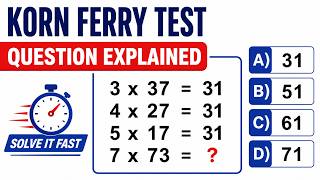
KORN FERRY HIRING TEST Tips and Tricks
926 views
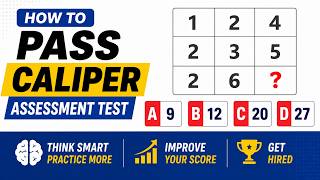
CALIPER ASSESSMENT TEST Practice Question
914 views
EPIC HIRING ASSESSMENT TEST Practice Question
901 views
CCAT ASSESSMENT TEST Practice Question Explained
369 views