
Add a FOLLOW UP REMINDER to Sent Emails in OUTLOOK
🛍️ Products Mentioned (2)
Add a REMINDER to follow up on sent emails in OUTLOOK so important messages don’t disappear into your Sent folder. This step-by-step OUTLOOK tutorial shows how to flag a sent email for FOLLOW UP, add a due date, and make sure the reminder appears where you actually work—mail, tasks, and your daily to-do view. Practice Employment Assessments: https://www.howtoanalyzedata.net/assessment-test-practice-and-preparation-resources/ What you’ll learn: How FOLLOW UP flags work in OUTLOOK and when to use them How to flag a sent email and set a reminder time and due date How to customize flag options (Today, Tomorrow, This Week, Custom) Where follow ups show up: To-Do Bar, Tasks, and the Outlook list view A clean workflow for sales, job searching, and project communication Common mistakes that cause follow up reminders to fail or get ignored By the end, you’ll have a repeatable system that prevents missed replies and keeps your email commitments tracked without extra tools. Subscribe for more OUTLOOK productivity workflows, and watch the next video in this playlist on organizing your inbox and automating follow-ups. #Outlook #EmailProductivity #FollowUp #TaskManagement #Microsoft365 #WorkSkills #TimeManagement #EmailTips Practice Employment Assessments: https://www.howtoanalyzedata.net/assessment-test-practice-and-preparation-resources/ ____ Download FREE Sample Hiring Assessment Test Questions (PDF eBook): https://www.howtoanalyzedata.net/0fyb ____ #job #jobs #hiring #jobsearching #jobopportunities #jobseekers #jobinterviewquestions #cusotmerservice #mindsetmatters #OT4E LET'S CONNECT - Subscribe on YouTube: https://youtube.com/@OnlineTrainingforEveryone - Connect on LinkedIn: https://www.linkedin.com/company/online-training-for-everyone/ - TikTok: https://www.tiktok.com/@onlinetraining4everyone - Follow on Facebook: https://facebook.com/OnlineTrainingForEveryone/ - Follow on Instagram: https://instagram.com/onlinetrainingforeveryone ____ LEGAL DISCLOSURE: Copyright © 2024 Online Training for Everyone LLC. All rights reserved. This training content was created by Online Training for Everyone LLC or its subsidiaries and hired contractors for illustrative purposes only to demonstrate fictitious data, ideas, and facts from the public domain related to the presented concepts. The content in this video is for informational purposes only and does not constitute professional advice. The actual user experience with the described system and content may be different and may not resemble the described content – viewer discretion is advised. Online Training for Everyone LLC and its affiliates make no warranty that: a) The materials are error-free, complete, reliable, or current b) Defects will be corrected c) The results obtained by the use of the demonstration components of this material will reflect the actual results obtained by the use of Online Training for Everyone LLC products and/or services. This training content may contain the trade names or trademarks of various third parties, and if so, any such use is solely for illustrative purposes only. All product and company names are trademarks(TM) or Registered(C) trademarks of their respective holders. Use of them does not imply any affiliation with, endorsement by, or association of any kind between them and Online Training for Everyone LLC. You should not rely solely on the information provided in this video and should seek professional advice as appropriate. #EmploymentTest #AssessmentTest #IQTest #OnlineTrainingForEveryone
🎬 More from Online Training for Everyone
How to Pass a PSYCHOMETRIC TEST: Top 5 Questions
192 views
How to Pass an APTITUDE TEST in 5 Minutes
236 views
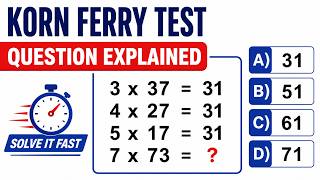
KORN FERRY HIRING TEST Tips and Tricks
926 views
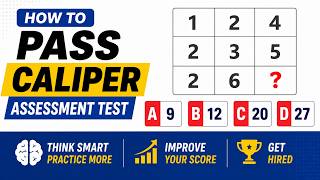
CALIPER ASSESSMENT TEST Practice Question
914 views
EPIC HIRING ASSESSMENT TEST Practice Question
901 views
CCAT ASSESSMENT TEST Practice Question Explained
369 views