
How to bulk-edit products in Squarespace
🛍️ Products Mentioned (2)
If you’ve ever tried to bulk-edit products in Squarespace, you know the drill: Clicking into products one by one Or exporting a CSV, editing in a spreadsheet, and hoping nothing breaks on import It works. It’s just slow, tedious, and risky once you’re managing more than a handful of products. 🔧 Tool I’m using in this video Advanced Product Manager for Squarespace 7.1 👉 https://www.squarehero.store/premium-squarespace-plugins/advanced-product-manager?via=sqspthemes In this video, I’ll show you a cleaner way to: Change prices on multiple products at once Apply percentage-based price changes (10%, 15%, etc.) Force consistent price endings (.99, .95, whole numbers) Add or remove categories across lots of products Toggle sales on/off for groups of products Rename products without breaking URLs or SEO All inside Squarespace — no CSV exports. You can install it in demo mode first and test it with your real products before you commit. 👀 Who this is for Store owners with 50+ products Designers managing client catalogs Anyone tired of repeating the CSV dance every time they run a sale If you’re only managing a small shop, the native tools are probably fine. If you’re doing bulk changes regularly, this will save you hours. 📬 Want more Squarespace tutorials & tools? Subscribe here: And get my updates + resources: https://sqspthemes.com/newsletter -------- I help freelancers, creatives, and problem-solvers transform their skills and ideas into a business that reflects who they truly are. On this channel, you’ll find the tools, strategies, and stories to help you: Escape the client hustle and reclaim your time. Build systems and products that align with your values. Develop the mindset and skills to create a business you love. If you’re ready to step into your potential, align your work with your purpose, and thrive on your own terms, hit subscribe and join the journey. ⚠️ Affiliate note Some links in this description are affiliate links, which means I may earn a commission if you choose to purchase through them — at no extra cost to you.
🎬 More from Omari Harebin
Marketing without the performance
25 views
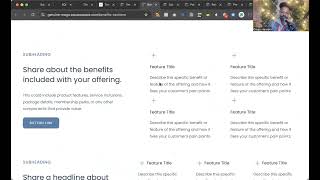
100's of Squarespace section templates
66 views
Why “Niche Down” Hasn’t Worked For You (And What To Do Instead)
22 views

How to become more magnetic to clients you wanna work with
12 views
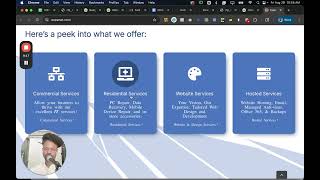
The Untaught Way to Write Proposals That Get Read, Respected, and Approved
60 views
Squarespace + Local SEO Made Easy
43 views