
Ultra Small & Lightweight Power Bank for Oculus Quest 2 | UPDATED Destek Capsule Power Bank Review
🛍️ Products Mentioned (5)
I update my Quest 2 setup regularly whenever there is a new accessory that I want to keep on my Quest 2. Click the link below to check out the latest accessories I am currently using on my Quest 2
Website
Studio Retro Cassette Poster Print
DesTek Capsule Battery Pack
Amazon Product
Enjoy my Destek Capsule Power Bank Review. You can buy this power bank for $32.99 or £32.99 from Amazon US here → https://amzn.to/3GJZX5d or from Amazon UK here → https://amzn.to/3q3YroD. This is a small 3300mAh battery pack that you simply connect into the USB-C charging port on the side of the Quest 2 and it will give you an extra one and a half hours of extra play time. There’s no need for attaching any extra straps, or big bulky battery packs. It's simply plug and play. It is fairly small at 7.4cm long, 2.1cm wide and when plugged in without its adapter, it sticks out around 3cm from the side of the headset. So compared to other battery packs, as far as its size goes, it is pretty discrete. Unfortunately, it comes in this classic battery yellow and black colour, which does make it visually stand out once it is plugged in. Personally, I would have preferred a colour that matched or at least blends in with the Quest 2 headset. Charging took well over an hour, using a pretty powerful wall adapter. The blue status light on the inside of the power bank keeps you updated on its charging and fully charged status. This light also shines down onto the headset when it’s connected, which makes it easier to see if it is charging and when it has run out of charge. I would have preferred to have been able to charge the battery pack from the same USB-C socket, and I would have also liked to see a series of battery level status lights on the case, so I could check how much battery was remaining on it. It weighs just 56grams, or 1.97ounces, so once connected to the headset its weight doesn’t feel significant enough to pull the headset to one side. The battery pack only connects to the headset through its USB-C socket, so how well it connects is really important if you want it to stay connected to the headset during any fast head movement. Because it sticks out just a little away from the headset, it does have the ability to move from side to side, however, you don’t feel this when wearing the headrest, but it could lead to the battery pack eventually coming loose over time. The other issue is that this battery pack will cover the headphone port that sits very close to the USB-C port on the headset. To counter this, Destek provides a right-angled USB adapter that positions the battery pack further away from the headphone port. It also positions the battery 90 degrees on its side, so you lose the blue LED battery status light from shining onto the headset below, and if you have a thick strap connector, like the kiwi design elite strap, you can’t use this elbow adapter at all. For me, it worked really well. Its small size doesn’t impact the overall weight of the headset. So it doesn’t feel like it’s adding any extra weight to the left side of the headset. It does wobble a little bit in the socket, yet with some vigorous shaking, I couldn’t get it to come away from the socket. Its size also makes it very easy to stow in a bag for use if you’re away from home. And its small size means you can plug it in easily without the need to strap it to a head strap. Because of how it sticks out, I guess you could easily knock this battery pack with your controllers whilst playing certain games, but it could be worse if you had a long charging lead sticking out of the same socket. Its weight is so minimal, that I don’t think it would add too much stress to the USB C socket any more than the weight of a heavy USB optical cable when using Oculus Link. With a battery capacity that comes very close to the Quest 2’s own internal battery. You’re almost doubling the playtime in VR with this battery attached to your headset, and its size and very little added weight overall makes this battery pack from Destek a great addition to your Quest 2 setup. ----------------------------------------------------------------------------------- MY QUEST 2 SETUP: I update my Quest 2 setup regularly whenever there is a new accessory that I want to keep on my Quest 2. Click the link below to check out the latest accessories I am currently using on my Quest 2 → https://www.oqplay.com/mysetup/ Studio Retro Cassette Poster Print → https://biglime.etsy.com ----------------------------------------------------------------------------------- TIMESTAMPS: 0:00 - Intro 0:14 - Brief overview 1:03 - Unboxing & features 1:42 - Size & style 2:06 - Charging 2:45 - Weight & connection 3:18 - NEW headphone port adapter 3:48 - Performance & impressions ----------------------------------------------------------------------------------- MORE QUEST CONTENT & UPDATES: Website: https://www.oqplay.com Twitter: https://twitter.com/oqplay Facebook: https://facebook.com/oqplay Instagram: https://instagram.com/oqplay #Battery #PowerBank #Quest2
🎬 More from Oculus Quest Play
How to install RayBan Meta Prescription Transition Lenses | VR Rock Lenses Review
1.9K views
How to Change LENSES on RayBan Meta Glasses | HonsVR Transition Lenses Review
6.3K views
Ray-Ban Meta Gen 2 Smart Glasses Review – Setup, Features & First Impressions
31.8K views
Sonicgrace S3 Duo Battery Head Strap Review: A Worthy Meta Quest 3/3S Upgrade?
1.4K views
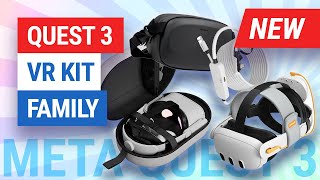
Syntech VR Kit Family Accessories for Meta Quest 3/3S - Battery Head Strap Bag Case Link Cable
1.1K views
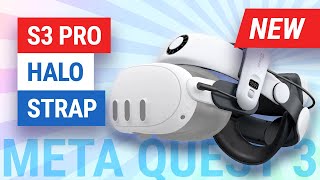
BOBOVR S3 Pro Halo Strap for Meta Quest 3 Review
9.3K views