
How To Add Chapter Markers To Your Youtube Videos To Rank In Search And Get More Watch Time
🛍️ Products Mentioned (11)
More Views With Tubebuddy
Animated Call To Actions
Music Provided By
Panasonic Lumix G Lens, 25mm
Box Lighting Set
Ring Light
Rode Video Micro Compact On-Camera Mic
Saramonic Microphone
Make better data driven decisions with Morning Fame
Try Canva Pro FREE For 30 Days
Camera Used To Film
Today I show you How to add chapters to your youtube videos so you can rank in search and get more watch time. Check out the timestamps down below to easily navigate the chapters in today's youtube video. 🔴Subscribe for more tips on how to grow on YouTube: https://www.youtube.com/channel/navigatingyoutube?sub_confirmation=1 Share this video with a friend: https://youtu.be/Prr6m9t_lLI 🕒Timestamp Chapters: 0:00 Start 0:06 What Are YouTube Chapters 0:24 How Do You Add YouTube Video Chapters 0:54 Increase Watch Time With Video Chapters 1:35 Rank In Search With Chapter Time Stamps 2:13 How To Rank On Google With Video Chapters 2:30 Recap 2:53 Question Of The Day 📢 I'm all about transparency, so I am disclosing that links in this video and/or description are part of an affiliate program through Amazon Services LLC Associates Program and other affiliate programs as well. This means I may earn a small commission on things you purchase at no cost to you. Also I super appreciate it as it helps the channel grow! 🧰YouTube Tools I use: Try Canva Pro FREE For 30 Days: https://partner.canva.com/c/2614926/619765/10068Level Up Your Keyword Research with Tubebuddy: https://www.tubebuddy.com/RedWineAndBlueMom Make better data driven decisions with Morning Fame: https://morningfa.me/invite/NavigatingYT Animated Call To Actions: https://www.productioncrate.com/#ref=navigatingyoutube Music Provided By: https://www.epidemicsound.com/referral/jet2i8/ 🔗 My Film Equipment: Panasonic Lumix G Lens, 25mm: https://amzn.to/2ARwk4p Camera Used To Film: https://amzn.to/3dGpblN Box Lighting Set: https://amzn.to/3h0K3q6 Ring Light: https://amzn.to/3gXkSVv Rode VideoMicro Compact On-Camera Mic: https://amzn.to/3h9fKxu Saramonic Microphone - https://amzn.to/2ABPZ8n 🔔 Make sure to have post notifications turned on by hitting that bell and selecting "All" so you don't miss any new videos. 👀Watch next – Starting A YouTube Channel From Scratch in 2020: https://youtu.be/KlUd2VUaWAA ▶️Recommended Playlist – Starting A YouTube Channel For Beginners: https://www.youtube.com/playlist?list=PLP-4182dK0YtGzdpEI6QDPvAqHAqenW7R 📲Let’s connect: Instagram – @navigatingyoutube My Main Channel: https://www.youtube.com/tiffanydayyt?sub_confirmation=1 Personal Brand Instagram: https://www.instagram.com/tiffanydayyt/ 📧For business inquires contact Tiffany Day navigatingyt@gmail.com 📮P.O.Box coming soon Thank you so much for clicking on today's video. My name is Tiffany Day, owner of The Content Mom which runs this channel, Navigating YouTube. After being on the platform for 2 years in the motherhood and lifestyle niche, I found myself searching for common questions to grow my own channel. Although the information I found was great, it wasn't always simple or specific to the lifestyle vlogger community. So I did some of my own testing and worked with other small YouTubers to grow their own YouTube channels. I fell in love with the coaching process and knew THIS is what I was meant to do. I understand what it means to be a small YouTuber, and I know first hand how it can feel like the algorithm is against you. But I have maximized search results and gained over 2 million channel views as well as monetize my BRAND NEW channel in 10 months and now I'm showing you how to do the same with simply strategies that work! Credits: #youtubechapters #YouTube #smallYouTubesupport -~-~~-~~~-~~-~- Please watch: "My Youtube Analytics Report As A Small YouTube Channel l How I Increase AdSense Income" https://www.youtube.com/watch?v=SdX9ttYf5is -~-~~-~~~-~~-~-
🎬 More from Navigating YouTube
What Lifestyle Vloggers NEED To Know About The YouTube Algorithm In 2023
1.1K views
GROW A Successful Lifestyle Vlog YouTube Channel | How To Vlog For Beginners
1.2K views
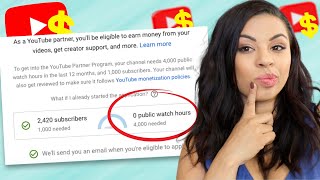
Will THIS Help You Get Monetized?
4.3K views
Is Promoting Your YouTube Video The Same As Buying Subs?
7.5K views
New Way To Promote Your YouTube Channel That ACTUALLY Works (and what to stop doing)
8.6K views
HoHem iSteady Mobile Plus Unboxing | Budget Friendly Mobile Gimbal
2.1K views