
DO THIS! AFTER Uploading To Get More YouTube Views
🛍️ Products Mentioned (10)
REV to add subtitles to your videos
Animated Call To Actions
Try Tubebuddy FREE for 30 days!
Music Provided By
Panasonic Lumix G7
Neweer Tripod
Box Light Set
LED Video Lighting Kit
Saramonic Wireless Lavalier Mic
the FREE Zero To Monetized guide Here!
Want to get more YouTube views this year? Then you'll need to know what to do when you upload your video and even AFTER you hit publish to get more views and more subscribers. Thank you Soundstripe for sponsoring today's video. You can get 15% off your soundstripe subscription with the code "NAVIGATINGYOUTUBE" https://soundstripe.com?fpr=navigatingyoutube Posting your YouTube video IS NOT the last step. There are some critical things you need to do to ensure your video is successful including during your upload process and even after you hit publish. So today, I share how to properly upload your YouTube video and the things you need to do after your video is published to your audience to get more youtube views this year. Grab the FREE Zero To Monetized guide Here! https://tiffanyday.podia.com/zero-to-monetized-free-guide 👀 Looking for more ways to get more youtube views on older videos? check out this video next! https://youtu.be/Njw6E-YY62w 🔴Subscribe for more tips on how to grow on YouTube: https://www.youtube.com/channel/navigatingyoutube?sub_confirmation=1 Check out REV to add subtitles to your videos: https://www.rev.com/ Share this video with a friend: https://youtu.be/MCVaIfayOuA 🕒Timestamp Chapters: 0:00 Intro 0:17 Sponsor 0:35 What To Do When Uploading Your YouTube videos For More Views 1:05 Do This BEFORE Uploading to get more youtube views 3:09 Add THIS To Your YouTube Video For More Views 4:28 The one thing 99% of YouTubers forget that cost them views 5:41 Do This BEFORE publishing your video for more views 7:15 What to do after publishing your YouTube video to get more views 8:52 Do this 2 hours after publishing your video to get more youtube views 10:47 Do this 24 hours after publishing your video to get more views 11:43 Do this 30 days after uploading your youtube video to get more views 13:11 TL:DR 📢 I'm all about transparency, so I am disclosing that links in this video and/or description are part of an affiliate program through Amazon Services LLC Associates Program and other affiliate programs as well. This means I may earn a small commission on things you purchase at no cost to you. 🧰YouTube Tools I use: Try Canva FREE for 30 days!!! partner.canva.com/5b5Lbj Try Tubebuddy FREE for 30 days! https://www.tubebuddy.com/freetrial?a=redwineandbluemom Animated Call To Actions: https://www.productioncrate.com/#ref=navigatingyoutube Music Provided By: https://soundstripe.com?fpr=navigatingyoutube 🔗My Film Equipment: Panasonic Lumix G7: https://amzn.to/3hmXYIq Neweer Tripod: https://amzn.to/3JXiVWC Box Light Set: https://amzn.to/3HmoY5j LED Video Lighting Kit: https://amzn.to/3hiiPg2 Saramonic Wireless Lavalier Mic: https://amzn.to/35ykknr ▶️Recommended Playlist – Starting A YouTube Channel For Beginners: https://www.youtube.com/playlist?list=PLP-4182dK0YtGzdpEI6QDPvAqHAqenW7R 📲Let’s connect: Instagram – https://www.instagram.com/tiffanyday.co 📧For business inquires contact Tiffany Day navigatingyt@gmail.com #NavigatingYouTube #soundstripepartner
🎬 More from Navigating YouTube

What Lifestyle Vloggers NEED To Know About The YouTube Algorithm In 2023
1.1K views
GROW A Successful Lifestyle Vlog YouTube Channel | How To Vlog For Beginners
1.2K views
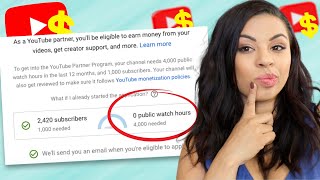
Will THIS Help You Get Monetized?
4.3K views
Is Promoting Your YouTube Video The Same As Buying Subs?
7.5K views
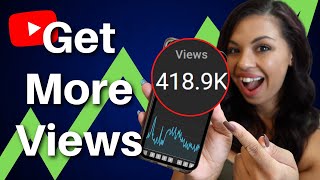
New Way To Promote Your YouTube Channel That ACTUALLY Works (and what to stop doing)
8.6K views
HoHem iSteady Mobile Plus Unboxing | Budget Friendly Mobile Gimbal
2.1K views