
Photoshop’s NEW Adjustment Layers Upgrade Real Estate Editing
🛍️ Products Mentioned (8)
My online courses to learn Real Estate Photography
My books on real estate photography
Learn Pro Interior Photography
Expert Editing for Interior Photography
Learn Pro Exterior Photography
Learn Videography for Real Estate
Business and Marketing for Real Estate Photography
Mastering Color in Photography
Photoshop just introduced new adjustment layers that are changing how real estate photos can be edited. In this video, I break down how Photoshop’s new adjustment layers work, along with improved masking and gradients, and why they’re especially useful for real estate photography workflows. Below are links mentioned in the video: My online courses to learn Real Estate Photography: https://LearnRE.NathanCool.com Learn Pro Interior Photography: https://ProInteriors.NathanCool.com Expert Editing for Interior Photography: https://ExpertEditing.NathanCool.com Learn Pro Exterior Photography: https://ProExteriors.NathanCool.com Learn Videography for Real Estate: https://ProVideo.NathanCool.com Business and Marketing for Real Estate Photography: https://ReBusiness.NathanCool.com My books on real estate photography: https://amzn.to/3T84iax Mastering Color in Photography: https://amzn.to/3LbP1jT Tutorial on using the Color adjustment layer for color casts: https://www.youtube.com/watch?v=XPYeiOkGdxQ
🎬 More from Nathan Cool Photo
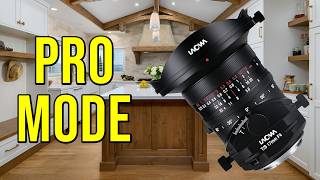
Tilt Shift is FINALLY Affordable — A Better Way to Shoot Real Estate
5.6K views
How To Get Real Estate Photography Gigs With Social Media
1.8K views
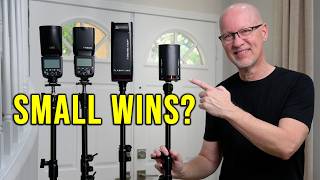
The Real Advantage of Small Flashes: Godox AD100Pro II Review
1.9K views

They're Lying to You About Photography
2.1K views
This Is Why Realtors Aren't Hiring You
2.9K views
$300 Lens for Real Estate — Better Than Pro Glass?
2.9K views