
Link to Blog
Link to Blog
This blog post is where I’m documenting the exact steps I used, including the little quirks like extracting the .sh file and the commands I had to run. Since the “easy method” didn’t work for me, having a written guide matters if you want to replicate my setup. I’m also updating it to match the newer Fusion 22H2 workflow.
Pros
- +Step-by-step reference for the setup details I mention in the video
- +Includes the command-line and file prep quirks that trip people up
Cons
- -Some steps may change as VMware updates the tech preview
- -Still requires manual tweaks rather than a fully guided installer flow
Featured in 7 videos
Windows 11 on Apple Silicon | VMware 22H2 Tech Preview
2K views · 2022-08-04 20:46:51
![Dev + Beta | Windows 11 [Dev Channel] Build 22581](https://img.youtube.com/vi/kOCgcQ3zwb4/mqdefault.jpg)
Dev + Beta | Windows 11 [Dev Channel] Build 22581
282 views · 2022-03-24 02:48:43
![Clipchamp Joins the Inbox | Windows 11 [Dev Channel] Build 22572](https://img.youtube.com/vi/Q81wZjLHd44/mqdefault.jpg)
Clipchamp Joins the Inbox | Windows 11 [Dev Channel] Build 22572
751 views · 2022-03-10 00:25:50
![Drag and Drop to Taskbar Returns | Windows 11 [Dev Channel] Build 22557](https://img.youtube.com/vi/MtmDNsqYRls/mqdefault.jpg)
Drag and Drop to Taskbar Returns | Windows 11 [Dev Channel] Build 22557
1K views · 2022-02-17 02:03:44
Opening .SH files in macOS Terminal to get .ISO for Windows 11 on M1 Mac Installation
6K views · 2021-12-11 02:16:00
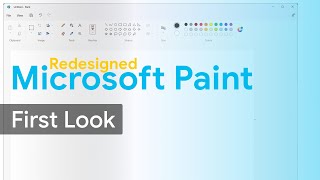
Redesigned Microsoft Paint | Windows 11
18K views · 2021-09-30 14:00:07
Fixing Inconsistencies | Windows 11 Build 22000.100 Hand's On
3K views · 2021-07-23 01:42:49
Link to Blog
Available on Nxtwindows
External purchase
Highlights
- +Step-by-step reference for the setup details I mention in the video
- +Includes the command-line and file prep quirks that trip people up
Recommended by
NXT Windows