
Is this your channel?
website
website
zZounds is who helped sponsor this video and made it possible for me to really test the Apollo X6 in my own setup. If you’re trying to grab gear without paying everything up front, their pay-as-you-go style plans can make high-end upgrades way more realistic.
Pros
- +Huge selection of music production gear in one store
- +Payment plans can help you upgrade without paying all at once
Cons
- -Financing means ongoing monthly payments
- -Availability and terms can vary by item
What MrDifferentTV says
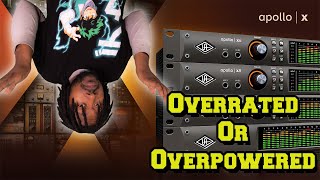
“I swear if I record this video one more time it don't work I'm done what's good everybody it's your boycelain aka Mr different back with another video and I have joined the upper echelon of audio interface gear heads you know the guys out there who think you know they got the best of the best because they spent a lot of money on gear we know who you are but anyway I have just bought me or got me oh God what are you gonna say a Apollo uad Apollo interface and I won't talk about it coming from the perspective of a Windows user and is this a overly hyped overly priced uh interface or is this a op amazing great interface tell you a little secret it's pretty damn good but yeah we're gonna talk about the um uad Apollo I'm gonna give you guys my things I like about things I don't like about I think they can improve with it and hopefully it will make you you know if you're thinking about getting this as a Windows user you know this video will help you if your Mac User sorry this video is not for you hey there's other videos out there people reviewing this interface as Mac users but on Windows we'll talk about it right now so let's jump into the video so what are we gonna talk about today we're talking about the new we're the newer Apollo interface the X series of Apollo interface this is their Flagship top of the line these are the pretty much the the best of the best interfaces you can get out there there's only a few interfaces that come that are like in the same category I think like the r b stuff or like the the really top end uh Avid stuff or maybe the top end focusrite stuff comes close to this comes a little closer but the Apollo interfaces are widely used by everybody you know the plugins are why we used by everybody the preamps all the good stuff we're talking about today and what I think this is a great interface or is it just something old pricing you know you know you might be thinking about you might have been thinking about it who knows so let's talk about it you know I got you I got you broke gang I got you you know the truth about this interface y'all don't know which interface did I go with now there are a bunch of ranges in the Apollo series now there is the Twin series of X Series which usually like the little desktop ones which you know they're pretty cool they think there's a solo is what if you need like a little portable one but I don't think it has the X um internals or whatever but they do have the twin X which comes in the same solo Duo and quad DSP then they have the X4 which I think has a two in two you like four ends four out something like that so you know it's still a little desktop unit then you get into the rack mount units which is the X6 which is the one I have right here I have the X6 and I'll tell you why I picked this one then they had the X8 which the six has six and six outs the eight has eight ends eight out then they had the eight P which has the eight Unison preamps which you know that's I don't need all them preamp and you know some preamps and then there is the 16 which is more like a kind of um it's more like an a to d conversion box which you know if you have outboard gear that's probably the one you want to go if you have a lot of outboard gear that's probably the one you go with and I think the um the six has six DSP the eight has eight and I think the 16 has eight as well I'm not sure don't quote me on there maybe it has 16 DSP chips I didn't look at them sorry so yeah basically depending on the number you get depending on how many DSP chips you get in this is a hexa quarter has six DSP chips and it has six in six outs why did I go with the six and six out interface because I don't really need a whole lot of uh ins and outs because I'm not really recording a lot of inputs outputs and this one comes with two units in preamps so that's fine as well with me but I did expand my interface as you see I still have my um arteria audio fuse and actually got it running into a dead into the back of my uad audio interface so that gives me just an additional eight and eight outs right here so I have essentially you know uh you do the math eight times six eight eight plus six ins and outs so that pretty much been if I do want to get more Hardware gear which I do have Hardware right now and I plan on getting more so yeah that's kind of cool there oh and I do want to say big shout to today's Channel sponsor these are the guys who hook me up with this interface and you know let me use it and let me play around with it and decide if I want to keep it in that and that is sounds sounds is a website where you can get anything that you need borrowers audio go goes if you need interfaces microphones speakers guitars even computers cables all that good stuff you can get it from sounds and also if you're having trouble you don't have all the money they have a pay as you go type of plan basically what it is they break up your payments into four or six uh chunks uh monthly chunks and basically you can pay it as you go so you can make the first payment they ship your gear you start making [ __ ] you know you start making music and then you you know go away when you just keep making a payment so it's paid off and then you own it completely so that is really dope that is really good um so shout the sounds for helping your boy out uh yeah there's gonna be a lot more stuff come from them and their Channel sponsor I don't say shout out to them thank you guys for sending me this interface to test out and mess around with it so yeah back to the video so yeah um let's just start off with the stuff about the interface I pretty much told you about the ins and outs and all that good stuff let's start talking about stuff like the stuff that's built inside of what makes a great so first off the big thing about this interface is that it's USB not USB but Thunderbolt 3 so Thunderbolt 3 or Thunderbolt and general Thunderball interfaces are probably some of the best interfaces out there why because the speeds the data transfer the low latency and the fact that you can usually control everything remotely makes um you know Thunderbolt interfaces just better so basically what that means is this is all digital control all the knowledge and everything like that so I can actually control my entire interface through my computer and the console software which I have pulled up right now as you can see and that just allows me to control it I control the prints the volume of that I can't control the headphone out a headphone so that's the analog right there which is pretty cool I'll talk about it later but you can pretty much control this entire interface remotely so if it's in like a rack over across the room and you don't want to run over there and touch it you know pull up the console you can control the ins and outs you control the faders the preamps all the good stuff switch the units and preamps all the good stuff and that's what I like about Thunderbolt interfaces the fact that you're going to record stuff remotely and also the low latency the data transfer the rock stability pretty good now this also comes with the Unison premium units and premiums are what makes this interface super dope so basically depending on which one you get depending on how many like I said units and premiums you get usually come with two unless you get the eight pre with the eight color four and then the eight P comes with eight this one has two so basically the units in preamps allow you to change the characteristics of the premiums as right now I'm actually recording through a Neve emulation a new 1073 preamp emulation as you can see and I'll talk about the plugins as well so basically I can change this um preamp to any print one so let's say right now you hearing it come from a need 1073 Prem I actually have a real new 1073 right here which I want to talk about later video but you know I have it on the go I have it right here if I need you know multiple microphones I only got one premium I can emulate right there so I'm gonna go ahead and change the premium so you can see how it sounds and you can see here different players so right now we're talking to a Neve 1073 on preamp only let's change it up to something else okay now I am hooked up to a API style premium so I have the API vision uh Channel strip which is one of the newer uh units and premiums so it has a different characteristic API sound you know if you know anything about API you know their preamps this is an API Channel strip sound let's switch to another one all right now this is the century uh 2 preamp it's a tube sound so you can see it has a little bit more of a lower like low end has a lot more warmer sound um like say a tube preamp they say this is more of a vintage style preamp um as you can hear sounds really good I mean you know if you want to go for that vintage Vibe you're making a vintage style sound maybe using the Vintage mic this is a good one uh let's switch to another vintage style microphone real quick all right now this is the v76 this is more I think this is like a Russian vintage two preamp so it has a you know even vintage sound as you can hear you know it just you just see with the Unison preamps you can really get some different characteristics like I said it might not show up too much on the sm7 be that recording in but you know you know if I use a condensing microphone passing good but my room's not treated right now so I'm using the dynamic microphone to kind of cut down some little Echoes like that but you can do you can here that does change up the sound a little bit depending on how you go with but that's what I like about the units and preamps it just gives you the beer to have different colors different flavors and you can switch it up any way you want to and get a different sound different texture without having to buy multiple preamps or anything like that so let me switch it back to my Neve and it will continue on with the review so yeah that's one thing that a lot of people like with the units and Princess gee that kind of flavor in the color that's looking to you now with the user premium I said you just saw the plugins and there's a ton of plugins the uad plugins are probably some of the best plugins out there and they all run uh on the DSP of the interface so that means your computer does not have to worry you can record with a bunch of plugins on in real time and you can even print the sound of the insert plug-in so if you got a compressors eqs like that on there you can print that sound going into your Daw now DSP versus natively run on your computer there's a big argument about we don't really need DSP plugins like everything around a computer appears to powerful enough I'm gonna make a video talking about DSP versus native plugins I might have something about it but I do like DSP plugins because it gives you the ability to record everything directly onto the actual interface um so you know you ain't got to worry about nothing like that it's low latency that kind of thing and you can just you know keep everything from processing through your computer so like I said I do like um recording everything through the DSP you know that's just me but you know everybody's gonna have their different opinions about DSP versus native plugins so it is what it is um yeah you just figure out you know how you want to go about that that's totally up to you we'll make a video about that later so yeah so we got the we got the Unison preamps we've got the plugins we got a thunderbolt three um the console is also really good um I love the console how it's set up you can control it differently so as you see this is the console you have all your settings you have your microphone controls all that kind of good stuff you could put your inputs in there like your insert effects that's four perch I think you put more in there I'm not sure I haven't really diabeted to do it you control 48 volt phantom power don't need it for done in my phone you got you know your um uh low pad high pass filter pass phase inverts all the good stuff and as you change it on the actual plugins it changes as well so you know you have the actual you know of the Plug-In or whatever depending on the plugin you're using to and then you have you know you see all your plugins that you got right here and you know you know hide and show high plugs you don't have and you do have you got the hardware you can actually daisy chain these together which basically mean you can add multiple units together through Thunderbolt and then connect them like a I think eight or something like that I'm not sure six or eight or something like that and you can use the DSP of all of your Apollo interface so if you have like multiple rack mount units in like a say a twin you can use all the DSP of all that and or if you want to add like a satellite to it you can just plug it into the back of the unit or the interface and you can you know use the DSP and that's really good so if you want to expand get more DSP run more plugins you got that right there and you also got the majors where you can set your in and outs I got a debt and all that so I have all these inputs I have all six inputs through my actual interface and then have all these Ada inputs as well so I can run multiple instruments at one time with this inch of multiple instruments but um multiple ins and outs and all the good stuff with this info like I said I really do like it that's one thing I love about this um uad Apollo and the console uh and yeah so that's what I like about I mean it's it's a lot I mean I always say I only had it for up I would say about a month now month in a month in a week so I'm still learning the interface to getting used to send it again it kind of hooked up to my system so yeah so let's talk about since that's the stuff I like about let's talk about the cons about this and also come from an experience of a Windows user because this is a tricky interface to work with if you're a Windows user I'm just gonna say that right now it's it's a little tricky once you get it set up is Rock Solid having it haven't had any issues with it so first off you want to make sure you have a compatible motherboard and computer CPU and all that that has Thunderbolt Two Three or whatever you know saying because you need to have that in order to win if you're Mac you just plug and play it's gonna work we all know that this is how Max are lucky you guys I know how you're gonna be in the company whatever keep paying for your overpriced stuff so yeah once you get that set up works pretty good now there's something you need to know about working with this with uh certain applications on windows so first off recording your Daw OBS Discord stuff like that at Skype uh Zoom you're gonna have issues with the drivers with this and it's going to make a bunch of cracks pop up cracks Popples cracks and pops and stuff like that when trying to use those softwares now I have to figure out a way to actually record you know with OBS with no problems no cracks and pops and I'll make a video about that like probably in the next couple of days to show you guys how to set that up because real easy real simple and it's made my life easy because I had a whole bunch of issues but if you want to use this for like I would say like Discord like I said teams uh Discord Zoom Skype stuff like that then you need something like Azure link or voice meter banana to um route the reroute the audio because this does not have a loopback feature but once you it's so OBS can pick up the inputs you have to use a special way to do and I'll show you two different ways of doing that that should help you out but the drivers the they're not asio drivers just using wmd drivers but I think they're still Azure but it's also using the WD drives the window Direct Media and those drivers do not play well with stuff like Discord stuff like uh Team Speed uh that Team Speed but Discord sky as I said oh damn Discord Skype uh Zoom it will have issues so you need someone as your link or something like voice uh meter banana I have made a video on how to use Azure links you can definitely type in the description as your link OBS and they're going to show you how to set up so still same process it's just yeah that's the one thing I don't like about it because there's no Loot and there's no loopback feature like you're paying all this money for this interface and I said this is a 22”
Featured in this video
website
Available on Bit
External purchase
Highlights
- +Huge selection of music production gear in one store
- +Payment plans can help you upgrade without paying all at once
Recommended by
MrDifferentTV