
Is this your channel?

Vocal Preset
This is the free NY drill vocal preset pack I made for y’all—multiple versions in one download. You get the FL Studio preset, the Waves StudioRack preset for any DAW, and a stock FL Studio option if you don’t have third-party plugins. If you like the sound but want to tweak it, I show you how the whole chain is built so you can modify it.
Pros
- +Free download with multiple preset formats
- +Designed for that heavy, in-your-face NY drill vocal vibe
- +Easy to tweak with macros in the StudioRack version
Cons
- -Main version requires the listed Waves plugins for the exact sound
- -Stock FL Studio version is close but not as strong as the Waves chain
What MrDifferentTV says
“yo what's good everybody it's your boy sling aka mr different back with another video i know y'all like these new videos i know y'all want me to get back into it be more consistent i'm gonna try to do that for you guys so today we're getting back to it free vocal presets once again i'm gonna show you guys how i made this preset and i'm just gonna give away for free both the fl studio version the wave channel version for fs studio and also gonna give y'all the studio rap version as well to use it in any daw because i love you guys i love giving you guys free stuff like i said these videos are just fun to make i really like doing i love doing vocal stuff like that if you guys want me to do more please leave it in the comment below what you want to see next also if you want to support your book let's say i'm not making enough money off this but if you want to support me you know you can support donate whatever there's multiple ways down below you know you ain't got to but if you want to you can help support but if you can't do it monetarily with money hey thumb up the video subscribe also share the video and leave a comment that also helps as well for these videos so let's jump into it right now and so what type of vocal fit are we gonna do today today we're gonna be making kind of a new york drill style vocal effect something like i think it's fabio four i think i pronounce it and pop smoke i got kind of you know drill music fit by one day and i just want to make a drill uh vocal effect i never really made a drill beat on my channel or did anything pertaining drill so why not do it today by making a vocal effect for you guys let's go ahead and jump inside after studio and i'm going to show you guys how i made this uh vocal effect and i'm going to you know give it away for free because that's how i do but before we do that i do want to shout out ice fire because i did find it he sent me a beat let's say if you want me to use your beats you know feel free to send me beats i don't really care leave links in the description below or in the comments below or email me it won't really matter make sure it's a good beak i want to be able to vibe to it at least you know saying and just you know i'll shout you out because i'm trying to find you know i don't want to use industry beats or big name producers i really find your guys be and showcase your beats and help your channel as well so we're going to use one of his beats called uh i'm not real enough but i just fired it check out his channel you know get some support give him subscribe all that good stuff give him a like all that good stuff you know help people out i like to help the community out because that's one type person i am you know all about the community so here is a little song and i'm gonna play the song so you kind of hear the vocal effect and then we'll get right into how i built the vocal effect like i said if you want to you can hear what it sounds like if you like it link in description below go ahead and you know download it and you know but also learn how to make it yourself just in case you want to modify it like this let's go [Music] i be wasting no time i've been getting this money i'm stacking this door and they hating on me they all know what they're doing i gotta go kill it and they really can't be yeah [ __ ] be hating and they be faking they all care and they already know that i'm going to take it i've been getting my grinders taking that money they know what i do they be talking that [ __ ] and i know what they faking i do what i do wait and i'm doing my dance and i'm throwing this money yeah and i'm looking for ass on there's no bunny that's just how i do and that's just how i roll [ __ ] be hating on me and i know they can't get to my goals and i'm just gonna get inside the top [Music] so hopefully you enjoyed that little demo right there and i do have two versions of it like i said just want a modified version of it right here so i'm giving you kind of two presets and one but pretty much you can do it all this is pretty fun pretty suspended they got that kind of pop smoke new york drill style type of vibe and that's what i was going for so let's go ahead and break it down so i'm going to show you guys the actual um waves uh what's it called studio rap version like i said i do i will be giving you guys away this version right here that you can drag and drop inside the fl studio as long as you got these uh plugins i'll link all the plugins down below make sure you use them links down below there are sales going on on waves right now so you don't have any plugins you can use the plugins buy them yourself or you can supplement them for something else and also we'll be giving you guys this version as well this is a fruity preset version which is a straight fruity preset version i try to do the best i can to emulate it so if you don't have any of these third-party plug-ins you can use stock plug-ins to get the exact kind of the exact same effect so that's just that so let's go ahead jump right to it right here so go ahead and we'll solo this start it right here and we'll go back to studio red because you know that's what it is so this studio wreck is really complicated and really complex and a lot of people said can you use a studio wreck and make it with a parallel split so that's what i did for you guys i made a parallel split version of it so you have a little bit more control and i'll go over all the macros i made for you guys and all that good stuff i made it because it's pretty it's pretty complicated but it's a pretty easy to use you know first let's go ahead and mute everything which go down everything one by one so first off we're gonna start off with of course waves tune now wage two is not to do a auto-tuney effect it's more or less to give you kind of uh keep it give you like a vibe so i use waves tuned to just make a vibe for the vocals so you know modulating your vocals can really give you some you know a faith to give some character to your vocals so i would suggest throwing on your red book even if you're not singing because you're gonna give you a vibe let's say i have the correction down to 60 so it's not really a strong reverb i mean very much a strong autumn effect but it's just there to kind of you know give you that kind of you know play vibe i'll be y'all on my grind they be talking that [ __ ] in there oh no so i been wasting no time i've been getting this money i'm stacking this dough and they're hating on me yeah just it's just a vibe that's all it is just give you a little bad little character but you can go more or less with it if you want to and you know make sure you select the right key and root note for your beat just to make it make it simple i do got macros for that as well next up we're going to use artbox why are box because our box is like i said it's the best gate plug-in out there i love arbox it's a good gate it's a good compressor it's my go-to for starting off my vocals i put on every vocal i use i love this plug i made a video about it so this is a gate plug-in so anytime things are quiet you know you don't hear no background noise and i give you just a little bit of compression because this is a heavily compressed preset so i want to make sure i do a lot of compression with this preset so you know with without it and with it so without it i'll be yelling my grind they be talking that [ __ ] in there oh wasting no time i be getting this money i'm stuck in this dough and they hating on me they all know what to do when i gotta go they say it's just a heavily compressed version of it gives you more compressed compression to your vocals and i say it's a gate too so you know it's good for background noise and all that and when you're not speaking into the microphone so next up we got this r cube what's it r or eq6 which is basically the render science eq6 eel give me that dark skin i don't like that white star light skin um i do light weight alone discriminate but i like my dark scan plugins but anyway um so yeah i just got a little eq going on basically this is just kind of cleaning it up nothing special this is just you know some frequencies that i felt that need to be cleaned up inside of the you know inside of it and you know i just got you know it's just this is uh this is a subtractive eq that just cleans up everything nothing special nothing crazy there you know it's always good to have that like so i'll put it before and after so you can hear how it just kind of cleans it up a little bit knocks it knocks out all those uh bad frequencies you can go in and adjust them to your vocals if you want to but this should cover most vocals out there so without it i'll be yelling my grind they be talking that [ __ ] in there oh no i've been wasting no time i've been getting this money i'm stacking this dough and they hating on me they all know what they're doing i gotta go kill it and they really can't be now one thing i did like say since i have a i was using the microphone recorded it had a lot of bass in there so if it cuts out too much of your bass just roll back this first frequency just roll back this um this high pass filter uh yeah this high pass filter just roll it back a little bit and it'll bring it back from some of them lows if it's cutting out too much other than that it should do the job where you know you're using it in any other case scenario next up we got another compression this is our our pretty much our main compressor come on what's going on waves this is our main compressor and this is the r comp i love the r comp very simple like one of the first analog modeling comps when they did the r bundle um really good comp uh compressor i think i'm using it in the uh i want to say the opto mode yeah i'm using the optimo which basically kind of emulate in the la2 way so this is kind of the first la-2a plug-in from waze or whatever emulation but yeah so it's just they said extra compression and this just kind of gives you like say i want this to be a very squash kind of in-your-face kind of vocal effect so that's why i want a lot of compression so playing with on the off i'll be yelling my wasting no time i be getting this money i'm stacking this dough and they hating on me they all know what they do when i gotta go kill it and they really can't be and it's just making everything make sure everything's consistent once again i said i like to stack compressions on top of each other because it just makes everything consistent i don't want one compressor slamming something down i would have a little bit like two or three compressors working in like together to give kind of a more smoother but still have that kind of squash together kind of consistent sound and it's kind of a slow compress it's kind of a medium attack and a kind of medium release it i have a little compression of course you go in here and adjust the compression if you want more compression or less compression all up to you um i do have a high ratio but you know i said i wanted to be a more heavily processed vocal like i said for that new york drill type stuff now here is a plugin that i want to make a dedicated video about because this plugin honestly is the go shout out to craftmasterproductions because he made a video about as well and him and my mentor were always i see him i saw craftmaster talk about it and then my mentor talks about it all the time i was like why did i like this eq and then once i started using it i like yo i see what so i'll make a dedicated video about this but it's the api 560 eq it is a parametric eq and it is one of the easiest to use eq i'm not going to go in depth about how i use it in here but if i'm using right now really i got a dedicated video coming up about this kind of hidden gem go of a plug-in but yeah it's very easy eq and this is kind of this is really the character shaping eq this is what's going to give you that that vibe that new york style drill sound i guess you could say in my opinion i never really recorded it near your side or anything like that but it just kind of gives me that kind of vibe when i turn it on if you kind of hear it just kind of brings that character to it by you know using the eq something i'll be y'all on my grind they be talking that [ __ ] in there oh no so i be wasting no time i be getting this money i'm stacking this dough and they hating on me they all know what they do when i gotta go kill it and they really can't be yeah so i mean this eq is amazing let's say i have a dedicated video talking about it but that just kind of that's kind of the the character eq i said two eqs one for correction and one for character that's how i like to uh you know eq my stuff next up i got a de-esser that's it just kind of taking out some of them nasty frequencies you can add more or less depending on your vocals but usually this preset right here always works i love this dslr it's just super simple and this is going to kind of die stuff i'm not going to go too much in about that um i did forget one plug-in but you can't add it in there if you want to and that is a limiter like if i would too i would probably use like the air i think it's the l1 limiter yeah sometimes i just use the l1 limiter and that just kind of matter of fact i'm gonna go ahead and add it in here so i'm just gonna go ahead and add you know what you do like boom and then you can use this limiter in the threshold to make your vocals louder or not if you need more volume if i like to do and i just set it to 50 i'm going to save this and i'm actually going to add this on to the plug of the presets i'll be yelling my grind they be talking that [ __ ] in there oh no so i be but yeah i usually use a limiter just to get volume so i'm going to throw that in i should have did that before matter of fact before i forget boom so now don't forget so yeah so now you got a limiter right there and that's just going to help you make it louder all you need to do is just adjust the threshold until you get the volume you need that's all the limit is there for it's nothing else but you know just very simple now we get to the parallel split function now this is what's going to give you the the fun this is these are pretty much the effects of the preset and i like this way because i can actually add my effects it's pretty cool stuff so let's go ahead and activate them and then we'll go ahead and go through each effect so first off we have an h delay so i have an h delay you know pretty dope h delay and i also have it side chained by this r comp so basically what it doing it is a side chain eq built inside of in here if you want to learn how to do this if you want to make a video about how to actually set up sidechain eq delays and all that good stuff let me know i will make a video on how to do that inside studio rack so you can do it yourself make your own presets but yeah that's what i did so when i played this now you can have a delay effect so now that i'll be all on my grind they be talking that [ __ ] in there oh no so i be wasting no time now the good thing about this side chain delay effect is that it only activates in silence so when the vocals are going you don't hear delay but once you hear a moment of silence you can hear the delay tail so for example there's a great zone right here whoa yeah so yeah i do like that so that is that's really dope i do like that feature right there i love doing side chain delays it just makes things a lot smoother and better and also you have the delay bpm and the feedback as well so i do have macros and the delay output the output just pretty much determines how much delay sound you want to hear so that's that right there if you want to go through and mess around with that so next i have a reverb and the same thing with the reverb but i have an r reverb so it's basically just a hall reverb with some parameters you can go ahead and tweak them to your liking and i also have an eq parallel to it so basically the eq is cut filtering out the low end of the reverb to just make it a cleaner sounding reverb and i do have the reverb time and i think the reverb output as well so you can change the time depending on how much you want and then the reverb output how much reverb you want to hear so whoa yeah uh i'll really be bout it i'll be y'all on my grind they be talking that [ __ ] in there oh no so i be wasting no time i've been getting this money i'm stacking this dough and they're hating on me so you see as i was as you see i was turning on the output of reverb about the reverb down so let's say i like to make macros that way you guys don't have to go in you don't even have to look at this part here you can actually just have the macros over here set up and pretty much control this whole preset by itself and last but not least it's the doubler not a doubler it's just like i think for like special effects type thing it's just a double two and i also have a stereo with plugin as well basically what this is doing is just giving a little bit that uh like for choruses or for like bridges like that it just gives you kind of that kind of double effect and kind of wide stereo vocal effect you don't have to use it i did it i did it in his end part right here that's what you were hearing but it's right there i usually have it turned off but you just turn it up as you need it for example whoa yeah uh i'll really be about it i'll be yelling my grind they be talking that [ __ ] in there oh no so i be wasting no time i be getting this money i'm stacking this door and they're hating on me they all know what they're doing so i just give you that little bit of you know freedom so you can actually do that in there if you want to add a double effect like i said i do have it turned off in the fl studio preset version you go in and add it in there as well i said the fluted version is basically the same stuff i got over there but just in this kind of form factor you don't have the control much control as you would inside of the this version right here the studio wrap version but it's still there it's a very simple preset like i said this is a very heavily compressed heavily processed preset and like i said it's very easy to use let's say this is absolutely free it's free of charge you just go to the links down below it's a dropbox link download it use it let me know what you guys think about it and let me know what you want to see more about let's say i will give you all three presets so you will get this version with the studio wrap for any daw you'll get the fl studio version you can just drag and drop inside of fs studio granted you have these plugins then you get that and if you don't have any plugins but you have you know fsu to stop plugins i have a stop plug-in version it's not as good as that version i'll actually give you an example what it sounds like like i said it's always i try to do my best with stop plug-ins but really the meat potatoes when you use them third-party plates so for example here it is with stop plug-ins out there i'll be yelling my grind they be talking that [ __ ] in there ownership i be wasting no time i've been getting this money i'm stuck in this dough and they're hating on me they all know what they're doing i gotta go kill it i feel like it's pretty close it's pretty good but it's not where i would like it to be but hey it's there if you only got stopped plugging and i also give you the little stereo shaper which gives you that kind of doubling effect as well if you want that i really be batting i'll be yelling my grind they be talking that so i try to do my best for you guys i try to accommodate everybody but like i said always good to have 35 plus like i said i will have links in the description below to this preset all the plugins that are used for the presets you can get them like i said but if you want to if you're not using the waze studio wrap version you can always go through here and supplement it for plugins that you actually own um just pause the video look at the preset numbers and all that and just kind of copy them yourself so with that being said y'all know who it is your bustling aka miss different your favorite what am i today i'm your favorite nappy headed producer with the trades i forgot had a paul out of you know brain fog or whatever but hopefully you guys enjoy like always let me know what you guys want to see in the future as far as vocal effects and tutorials i happy to comment there anybody will see me beats feel free to send me beats leave links below i'll check you out trying to find you know uppercut producers and use your beats in these videos they'll get to get you some support kinda love my community because y'all know i'm not motivated by the money but the like couch crowd in view so leave a like thumb up subscribe to the video subscribe to the channel all that good stuff and i'll catch you guys next video where i drop some more knowledge on you guys i'm out”
Featured in this video
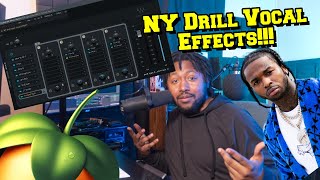
Vocal Preset
Available on Bit
External purchase
Highlights
- +Free download with multiple preset formats
- +Designed for that heavy, in-your-face NY drill vocal vibe
- +Easy to tweak with macros in the StudioRack version
Recommended by
MrDifferentTV