
Is this your channel?
Cosmos
Cosmos
Cosmos is the free A.I sample finder I’ve been using to speed up my workflow. It scans your folders, helps categorize/tag sounds, and makes it way easier to find stuff you forgot you even had—super clutch when you’ve got thousands of samples like me.
Pros
- +Free A.I powered sample finder
- +Fast searching and vibe-based filtering
- +Helps discover sounds you didn’t know you had
Cons
- -Some loops/stems don’t always show up correctly, especially in the cosmos view
- -Occasional scanning/categorizing inconsistencies
What MrDifferentTV says
“yo what's good everybody's your boy sling aka mr different back with another video sorry i had to take me a little social media detox i'm back refreshed feeling better my mental's better all the good stuff got some videos on the pipeline but i'm back you guys i know i'm a little late on this video but i got a ton of videos with this and other stuff so don't worry i'm all good we're here and we'll get right to it so today we're going to talk about a brand new plugin with two brand new plugins or products from the guys at waze audio one is called the cr8 which is a brand new first of its kind sampler for waze i mean first economy is waze first sampler plug-in so we're gonna check out that we're also gonna check out their brand new cosmos which is an ai powered sample finder which is really unique really dope and the great thing about these are both affordable because one of them's free and one of them's super cheap and i said waze always has deals links in description below make sure you use them links to get deals and all that cause i got a bunch of new deals going on so you can get you some new plugins let's go ahead jump inside of the daw check out both of these plugins tell you what i think about them i like what i don't like the thing i think they can do to improve on these plugins let's jump right into it so here we are inside the fx studio i made a complete beat using nothing but the cra which um yeah so i'm using nothing but one shots and pretty much samples that i have and i'm gonna show you how i made it all the good stuff so you can do it i can manipulate it and all that kind of stuff and then you know we're getting to the meat and potatoes of this stuff so i'm gonna just play this little beat that i made with nothing but cra only cr-8 plug-ins nothing else [Music] so yeah that's just a little sample something i made so i made really quick threw it together just try to make some real quick see if i can make a complete b or make a beat with nothing but serious let's go ahead and bring up cra let's get into it so here is cra and like i said this is the first of its kind for waze so this is their first uh sample simpler plugin so basically what cra is it is a one-shot loop sample manipulator plug-in which you have up to eight layers that's the name cr8 you got eight layers and you can do a bunch of different things such as control the adsr you can modulate stuff you control how you manipulate you can lay yourself together it has key switch has a bunch of stuff built to it it will go over it and also it has cosmos built in which will get the cosmos after i go over cr8 because cosmos yo i don't want to talk about cause but i have to talk about cosmos so anyway here's cra and i got it right now on my drum pattern so i actually put three different drum samples as you can see you can actually put different drum samples and just to add more samples just hit this little plus button and it'll add a sample you can drag your supplement there easy as that so right now i have three different drum symbols and i also have the key switching function which you go to the piano right here which allows me to trigger them on certain notes so for example my midi keyboard you know you can i could trigger [Music] you like a trigger you know easy stuff so that's pretty cool right there so you can actually make key switches which is really good for views on playing drums on a keyboard or if you're just something like uh like this right here which is my atom if you want to use something like a drum pad or drum machine style uh midi device or whatever so that's really dope right there and also they have a mixer which just allows you to you know mix it painted all the good stuff get some stereo stuff in there but anyway so let's say i got that set up and let's say i got it played out so you know it's triggering all my samples right there so that's really dope you can really do that with um here you can see you know kind of make your own like drum pack or drum type thing rack or whatever you want to call it and there you go so let's go to actually using like maybe a sample for example so here is a sample i use so basically this is a one shot sample and i'll play it real quick so now this contains three different samples so here's the first sample right here it's just a low five piano one shot and i have like this little i think a bale sound and then i have like just a little kind of accent sound [Music] and don't think about this one i actually have a loop right here which you have loop markers right here that you can control this is i mean not a little more but stop and start markers and then i also have it in reverse and you can control the speed and everything of your samples as well which is really dope so you know i have it in reverse so it's just kind of playing the sample in in reverse and it also has freeze you also have uh back and forth as well so that's really dope right there let's go back to the original and just play around with that so here's so the thing about cr8 i really like is that you know you have all the controls that you normally have for like say like the fruity rapper for example think of the fruity wrapper just expand it to any daw pretty much so you know you have ads sorry so attack this case sustain and release simple right there you have filters right now so you can actually you know turn on the filters you can filter stuff out [Music] you have different filter types from notch to bail to you know low low pass high pass and you had 24 or 12 db slopes you have resonance as well so you can add some little resonance [Music] make stuff like that and you also drive it as well not gonna lie i actually like that josh you like that sound a little bit cut off in a little bit of drive really dope and yeah so look at that making sound designer right in your face that's how good it is so so anyway um you also have an advanced tab down here which allows you pretty much do some modulation and stuff like that so as you can see you have your key tracking down here you have after touch so basically this is stuff like after touch key tracking mod will pitch my wheel and you can control that you know your simple stuff basically this is kind of like the vocal bender i think it's called vocal blender has the same kind of interface as that you drag and drop you got four different modulators which you know you can modulate different stuff you can change the different type of like shapes and all that you can make a trigger or not make a legato retrigger poly free sync you know pretty dope and you have a secret cert and an lfo you have four of these which is dope and they have a couple of controls as well like they have the rate and warp so give you kind of a low-fi effect you got a phase and you got smoothing and you got a level as well and you got different modes right here like continuous looping back and forth one time or freeze so pretty dope and then you got your adsr type stuff so you can actually you know control different parameters with 80s for example if i want to control the cutoff i just drag to the cutoff and i just bring this up a little bit and then i can you know mess with the h i like to get like a slow kind of fall inside that so now maybe i want it slower oh good lord super slow give it more or may not go in the verse go reverse so let's go reverse gotta really drag it down so you know you got a difference right there and if you want to clear it you just right click i think you just right click and go to none and it clears it up so pretty self-explanatory right there let's say you got some pretty good feature right there i think in this i actually have like a pan i have it on my pan no actually let me go back i think it is this sound 1d sound yeah this time right here i actually have a modulator on the pan as you can see so as a panning so now i want to if i reverse it i can reverse that and get a different sound you know just some different stuff and i said you can go in and mess around with it you have to control the speed as well so you may go faster and slower so make it two times slower or four times slower slower so you know you got some interesting stuff right there as well now one thing i like about this is that you have different play styles as well depending on the type of sample that you're using which can give you different kind of um algorithms so basically up here if you go here you got different play modes from beats harmonic melodies so beats would be like for drum samples and ada stuff like that harmonic and melodic would be more for playing notes like keyboards like that basically kind of keep stuff in pitch and in time at the same time which is pretty good let's say if you're playing like you got like a piano one shot you want to keep it sounding like a piano you can you know throw your one shot in there and then put on one of them and you should get that kind of piano feel when you're playing voice is really good for when you tone in vocal chops and vocal samples kind of keeps it in line and kept all that you need some really good chops and all that and then classic would be just your typical like i guess fruity uh rapper type of one-shot sampler algorithm so you know classic is you know for more dirty grungier stuff you do have a unison mode you have a force to mono and you have snapping features as well uh one thing about these stepping features i don't like is the they're missing something i'm gonna show you what i mean by that so let me go ahead and pull up my 808 so where's my 808 at i think it's this one right here yeah okay so this is my eight away so normally what i would do is i'll create a loop point in the sub base and i'll it'll make a continuous loop now they have your regular snippets such as beat snapping so basically based off time and they also have transient snap so based off of transients um they need i think a zero crossing snap function here because that would make it a whole lot easier if you're trying to you know loop something like 808 or sub so for example i have it on loop and you control your loop function when you go to loop and you can control the loop function on it and also have a crossfade on it which is this little x button now without the crossfade this is what it sounds like you hear that like really bad clicking sound now if i add in the crossfade it should smooth it out but it's not perfect and i'll tell you why so here we go you can hear it it don't have like a smooth like transition or a smooth like sound and that's because it's not at a zero cross point when you're at zero crossing you have you know the positive negative or the wave valve it's perfectly snapped so it makes it come like a like a full cycle without having that clicks or pops or any noticeable artifacts i really think they need to add a zero crossing feature or snap a function to the actual um cra because i think that would just make it a lot better um probably gonna do an update or you know who knows we'll see but that's one thing i'm really missing that and yeah i wish it could have more samples and more layers but ada's finally said the name cra they might make a cr16 who knows it might be improved we'll have to see in the future we'll see but anyway the really dope feature about cr8 is the fact that you actually have cosmos built into it now cosmos is a free plug-in you know you get cosmos right now absolutely free go to the website you can get cosmos so what cosmos is is a ai generated sample finder if you want to open it with the cr8 you just click this little button right here take a little second and it should pull up cosmos so we'll be back when it pulls up cosmos all right so here is cosmos pulled up ready to go and yeah so basically cosmos is a ai powered sample finder so think of something like atlas or xo it's in the similar kind of category as those but it's free um there are some issues with it here and there but for the most part it does a job like i said i've been using cosmos since they let me try it out and i've been loving it i love cosmos it's easy to find stuff i can easily find samples and all that i didn't even know i had and i have over 2500 sam 25 000 samples so yeah and it also comes with four gigs of free samples so just add it on to what i have man that's a lot of samples and i have drum kits one shots and then of course the waze factory so basically i said you will load in your you point it to where it needs to find your samples like most da doesn't know that it'll scan all your samples it'll try to categorize them and also try to tag them as well of course you can't go in there and tag them yourself it does a pretty good job um but there's an issue that we'll talk about near the end but once you do that you have it in now you can just start searching away for yourself so if i needed like a kick drum i would just type in kick hmm that wasn't kick butt mistakes happen now i got you guys cause i gotta bring the humor to you guys y'all miss the real mr different y'all miss that you know thumb up the video if you like my humor like my funny content thumb it up leave a like leave a comment also think about supporting the channel as well if you want to there's plenty of ways to do that donations all that good stuff links description below anyway type in the kick and then now i can go through and find different kits so maybe i want a kick drum i want a low five kick drum and i want a let's say a saturated one it'll pretty much pull out all of my kicks that are kind of in that kind of vein so [Music] you know when i go through again and it does a pretty good job so that's really dope and let's say if i need a high hat you just type in hi hat and then you know i want uh let me go hi hat and then we'll do like i want a closed hi-hat but i want one that's more lauren for trap more a line for trap so now you know and that's what it kind of figured found that there's no in that line for that kind of pacific genre based off you know ai and all that good stuff now you do have this view right here you have a more squinted down view so you see more stuff on one page and then you have the cosmos view which like i said this is when you get to that kind of exo and atlas type of view as you can see so if i just you know clear everything i'm going to just clear everything and then it should show me all of my sounds in this kind of you know array of dots which is basically the cosmos so you go through you know preview stuff if i want percussion which i found out i have a lot of dope percussion sounds and i want maybe some dry percussions now just give me all these precautions [Music] and i can go through and just click away until i find stuff i like if i miss something i'm like i want to go back i have two different ways doing that they have a history but right here let you go back to like your eight or nine previous samples you also have this little view right here which allow you to go through each individual sample like this that i haven't clicked yourself so really dope right there it's a really good way of finding stuff that you didn't know you even had i really like that now there is a problem with cosmos and i don't know what it is but there are sometimes it doesn't find like for example loops so i notice that you can't find loops or track loops inside of this mode so it won't let you look at loops you have to go to either um one of these modes to look at loops and some loops that have um it doesn't find just like stems and all that it doesn't find so it's an issue a lot of people are seeing that um maybe it's something they can fix in you know with an update or whatever but there's an issue where it doesn't find exactly every loop out there and you know it's kind of sad but i mean it's a free plug-in you can't really get mad at that but it is there so if you there's some loots that you can't find in your um cosmos you know ways you know they'll get on the waves are usually good at getting on stuff like that and all that also you do have different ways to find a key you can find it based on the tempo you can have time it should choose a key and all that good stuff so just a really good plug-in overall except for me a free plug-in that helps you find samples super quick and improve your workflow yo i'm all for it i want it i need it i love it i use cosmos all the time i make my beat slam some drums make me a drum pack boom ready to go and just speeds my workflow up so i don't have to spend all day searching through stuff and going through all my packs i have a lot of packs you see so overall i really do like both these plugins i said you can resize it and also they said cosmos if you get it for free and download by itself it does come in a separate application so you don't have to actually have cr8 to use cosmos it's absolutely free you can download cops right now and start using cosmos so overall these are pretty two dope plugins very interesting and you know very well needed for ways i said it's definitely this is the first for kind so of course it's the first iteration i feel like where's it gonna prove it on updates and then when they may do another version of it maybe make it more you know increase the ai and the neural network all that good stuff so i'm looking forward to seeing what uh waze do with ai technology because this is kind of a glimpse of what they're gonna be doing with ai technology and i can't wait to see more companies you know get on that ai helping kind of wave i like it i know a lot of people don't but yeah so yeah definitely check out both these plugins i said both will be links to them below they do have sales right now so get them while they're cheap before they go up in price so with that being said y'all know who it is your business aka mr different your favorite nappy hitting producer with the dress and yeah there was cra and cosmos from waze two plugins that i will be using a lot especially cosmos let me know what you guys think about these plugins in the description below have you copped them or you're gonna get them if you don't got cosmos at least get cosmo it's free so at least get that and yeah tell me what you think about this in the video entries below make sure you use them links get some deals and all that good stuff whatever you said i will catch you guys next video i'm out trying to make some beats”
Featured in this video
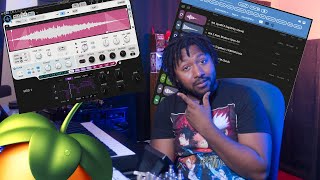
Cosmos
Available on Waves
External purchase
Highlights
- +Free A.I powered sample finder
- +Fast searching and vibe-based filtering
- +Helps discover sounds you didn’t know you had
Recommended by
MrDifferentTV