Davinci Resolve color grading workflow from Premiere
🛍️ Products Mentioned (7)
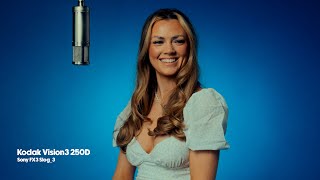
Today I'm going to walk you through my Colour grading process for This Music video I Shot for Courtney Manston using the free version of Davinci Resolve. Premiere pro is great for doing that quick correction and grade but with Music videos I tend to hop over to Davinci to give me those extra touches of magic to transform my Flat ungraded SLOG 3 clips Grab Adobe After Effects & Premiere Pro Here: https://adobe.prf.hn/click/camref:1011luem3 Watch the FULL music video here: https://youtu.be/9rUSWZSQFls Main Camera: https://amzn.to/3pulabW My main Gimbal: https://amzn.to/3Cdqbgv My action Cam: https://amzn.to/3c2fB1g FOLLOW ME: Instagram: [https://www.instagram.com/giantkillerstudios/] Website: [http://www.giantkillerstudios.co.uk] ALL OF MY FILMMAKING GEAR: [https://kit.co/Giantkiller] 📹 VIDEO ASSETS & TEMPLATES: Envato Elements: ►► https://1.envato.market/giantkiller Disclosures: All opinions are my own. Sponsors are acknowledged. Some links in the description are affiliate links that if you click on one of the product links, I’ll receive a commission at no additional cost to you. As an Amazon Associate I earn a small commission from qualifying purchases. 0:43 Export from Premiere to DaVinci 1:01 DaVinci Scene Cut Detection 1:43 Setting Colour Space 3:00 Using Masks in Davinci 4:27 Smooth Skin in Davinci 6:53 Copy a Grade To Another Scene in Davinci