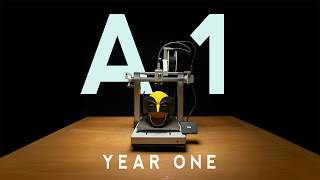
A1 better timelapses
🛍️ Products Mentioned (13)
Sony Remote
iPhone version
Bambu A1 Printer
Adobe After Effects & Premiere Pro Here
Main Camera
My main Gimbal
My action Cam
Kit Product
My FREE LUTs Here
my Stack Pack Here
Envato Elements
AIR PURIFIER
Timelapse Module
If you’ve ever wondered how to create smooth timelapses with the Bambu Lab A1 Printer, you’re in the right place. Let me guide you through the process, step by step. AIR PURIFIER: https://amzn.to/4g3xd88 Bambu A1 Printer: https://amzn.to/418Yhi2 Sony Remote: https://amzn.to/3VYKQxZ Timelapse Module: https://makerworld.com/en/models/658176#profileId-585272 iPhone version: https://makerworld.com/models/591727 Grab My FREE LUTs Here: https://www.giantkillerstudios.co.uk/links Grab my Stack Pack Here: https://www.giantkillerstudios.co.uk/store/p/giantkiller-stack-pack 📹 VIDEO ASSETS & TEMPLATES: Envato Elements: ►► https://1.envato.market/giantkiller Grab Adobe After Effects & Premiere Pro Here: https://adobe.prf.hn/click/camref:1011luem3 Main Camera: https://amzn.to/3pulabW My main Gimbal: https://amzn.to/3Cdqbgv My action Cam: https://amzn.to/3c2fB1g ALL OF MY FILMMAKING GEAR: [https://kit.co/Giantkiller] Disclosures: All opinions are my own. Sponsors are acknowledged. Some links in the description are affiliate links that if you click on one of the product links, I’ll receive a commission at no additional cost to you. As an Amazon Associate I earn a small commission from qualifying purchases.