
This Mini PC Has A PCIe Port - The New Beelink GTi 14 Ultra
🛍️ Products Mentioned (6)
Visit my blog for the written review

Infiray P2 Pro Thermal Camera
USB-C Pencil Screwdriver
Video Capture Box
Find Out More About the EX Docking Station
Find Out More About the GTi 14 Ultra
Today we're taking a look at the new Beelink GTi 14 Ultra and we'll explore its unique feature - a built-in PCIe x8 port. This is the first Mini PC I've tried that you're able to plug an external GPU directly into, so let's see how it performs. ADDITIONAL INFORMATION --------------------------------------------------- Find Out More About the GTi 14 Ultra - https://bit.ly/4bSEAg6 Visit my blog for the written review - https://www.the-diy-life.com/the-new-beelink-gti-14-ultra-has-a-pcie-x8-slot/ PURCHASE LINKS --------------------------------------------------- Beelink GTi 14 Ultra - https://bit.ly/4bSEAg6 Beelink EX Docking Station - https://bit.ly/47Ba4H3 Tool & Equipment Used: USB-C Pencil Screwdriver - https://amzn.to/3WWaMf1 Infiray P2 Pro Thermal Camera - https://www.amazon.com/dp/B0BG2QC143?th=1 Video Capture Box - https://amzn.to/3s6js1B Some of the above parts are affiliate links. By purchasing products through the above links, you’ll be supporting this channel, at no additional cost to you. CHAPTERS --------------------------------------------------- 0:00 Intro 1:00 Unboxing & Specs 4:07 Look Inside 5:23 First Boot & Benchmarks 7:23 Gaming on the Stock Setup 8:32 Gaming with an External GPU 9:17 Power Consumption 9:52 Final Thoughts If you've got any ideas for Raspberry Pi, Arduino, or other Electronics projects or tutorials you'd like to see, let me know in the comments section.
🎬 More from Michael Klements
I Built a Raspberry Pi Cluster That Fits in My Hand - Makera Z1 CNC Build
7.8K views
The New $799 ZimaCube 2 Has Features It Shouldn’t…
6.9K views
This Raspberry Pi Case Has a Screen, Camera & Speakers!
4.8K views
I Fitted A Full PC Into My 10” Lab Rax Homelab
23.9K views

A $0.001 Cloud AI Model Beats My Raspberry Pi Setup
13.0K views
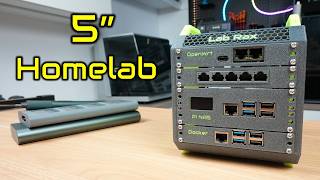
I Built a 5" Portable Raspberry Pi Homelab
83.1K views