
This $40 Raspberry Pi 5 Case Packs In A Lot Of Features
🛍️ Products Mentioned (7)
Mini PC Case in Elecrows Web Store
Visit My Blog For The Written Review
USB C Pencil Screwdriver

Infiray P2 Pro Thermal Camera
Sound Level Meter
Power Meter
Video Capture Card AVerMedia GC513
In this video, I try out the Elecrow Mini PC Case for the Raspberry Pi 5. It includes NVMe support, a multi-fan cooling system, an OLED display, and redirected ports, all for just $40. I’ll walk through the unboxing, assembly, software setup, benchmarks, and thermal testing to see if it’s a good budget case for the Pi 5. ADDITIONAL INFORMATION --------------------------------------------------- Check out the Mini PC Case in Elecrows Web Store - https://mklements.short.gy/mini-pc-case Visit My Blog For The Written Review - https://www.the-diy-life.com/this-40-pi-5-case-by-elecrow-packs-in-a-lot-of-features/ PURCHASE LINKS --------------------------------------------------- Mini PC Case - https://mklements.short.gy/mini-pc-case Tools & Equipment Used: Video Capture Card AVerMedia GC513 - https://amzn.to/3HPXBGW Infiray P2 Pro Thermal Camera - https://www.amazon.com/dp/B0BG2QC143?th=1 Sound Level Meter - https://amzn.to/42XkqPI Power Meter - https://amzn.to/3G0o57T USB C Pencil Screwdriver - https://amzn.to/4lWg5Ec Some of the above parts are affiliate links. By purchasing products through the above links, you’ll be supporting this channel, at no additional cost to you. CHAPTERS --------------------------------------------------- 0:00 Intro 0:27 Unboxing & Inclusions 1:11 Assembling The Case 3:02 First Boot & Setup 3:38 Testing 5:36 Final Thoughts If you've got any ideas for Raspberry Pi, Arduino, or other Electronics projects or tutorials you'd like to see, let me know in the comments section.
🎬 More from Michael Klements
I Built a Raspberry Pi Cluster That Fits in My Hand - Makera Z1 CNC Build
7.8K views
The New $799 ZimaCube 2 Has Features It Shouldn’t…
6.9K views
This Raspberry Pi Case Has a Screen, Camera & Speakers!
4.8K views
I Fitted A Full PC Into My 10” Lab Rax Homelab
23.9K views

A $0.001 Cloud AI Model Beats My Raspberry Pi Setup
13.0K views
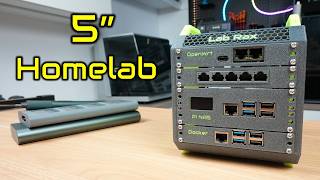
I Built a 5" Portable Raspberry Pi Homelab
83.1K views