
MPC Beats Sampling - Turntable Setup
🛍️ Products Mentioned (12)
This video shows how to connect a turntable to an audio interface in order to sample into MPC Beats. I'm using the Focusrite 2i2 (
Hosa Adapters
Audio Technica AT-LP60X
DJ Tech - DJ Mixer
Audio Technica ATLP1240USBBXP Direct-Drive Turntable
LoopCloud For Samples and Loops
DistroKid Use my VIP link for 7% off your first year’s membership
Podcast
MPC courses
VidIQ (insights for YouTube)
Free MPC Expansion
Free MPC Live Jump Start Guide
This video shows how to connect a turntable to an audio interface in order to sample into MPC Beats. I'm using the Focusrite 2i2 ( https://amzn.to/3haNw85 ) that has 2 line level inputs as an example to plug your turntable into. If you turntable has only Phono Level out you will need some type of mixer or preamp to compensate for the RIAA eq curve and to convert phono level to line level to connect to the audio interface. 📒 Show Notes 📒 Hosa Adapters: https://amzn.to/2R5W1qg ⬇️This turntable has Phono Pre-Amp Gain: 36 dB nominal, RIAA equalized Audio Technica AT-LP60X: https://amzn.to/3vWkjSy Scarlett 2i2 Audio Interface: https://amzn.to/3haNw85 DJ Tech - DJ Mixer: https://amzn.to/3exFVPh Audio Technica ATLP1240USBBXP Direct-Drive Turntable: https://amzn.to/3hrH4tB ⚡️ Free MPC Expansion: http://freempcsounds.com ⚡️ Free MPC Live Jump Start Guide: http://mpcjumpstart.com ⚡️ MPC courses: https://www.matthewcreating.com/store 🎶🎵 Sections Of This Video🎵🎶 00:00 Intro 00:43 Items you need 01:16 Preamp Information 02:29 Connect Cables to Audio Interface 03:33 Select Audio Interface In Preferences 04:20 Go to Sampler In MPC Beats 04:34 Set Up Inputs In MPC Beats 05:10 Set Gain On Audio Interface 06:47 Record Sample //TOOLS & SERVICES I USE: LoopCloud For Samples and Loops: https://loopcloud.com/?a_aid=5f1e644567453 VidIQ (insights for YouTube): https://vidiq.com?afmc=47o DistroKid Use my VIP link for 7% off your first year’s membership: http://distrokid.com/vip/mattstratt DISCLAIMER: Some product links are affiliate links which means if you buy something we'll receive a small commission at no additional cost to you. Social Media Instagram: https://www.instagram.com/matthewcreating Facebook: https://www.facebook.com/MatthewCreating/ Podcast: https://anchor.fm/matthewcreating
🎬 More from Matthew Stratton
MPC LIVE 3 Splice Integration - How To Setup MPC LIVE 3 With Splice.com
1.2K views
MPC LIVE 3 SSD - SATA Drive Installation Guide
7.9K views
MPC LIVE 3 Expansion Packs Install - Standalone and Software Methods
14.5K views
Making A Beat On MPC LIVE 3 - First Beat!
7.3K views
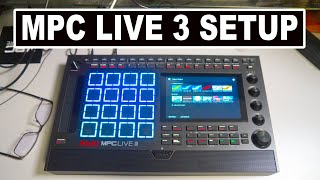
AKAI MPC LIVE 3 Setup - Registration, Software Download, and Installation Walk Through
13.5K views
AKAI MPC LIVE 3 UNBOXING!
4.1K views