
Innogear Microphone Stand Review And Setup (Works With Blue Yeti)
🛍️ Products Mentioned (5)
This video is a review and setup video of the Innogear microphone stand ****** Check it out HERE ➡️ (https://amzn.to/3f20XWH). This mic stand clamps onto your desk to hold your microphone and keep it in place while you record. You can also move the microphone out of the way when you are not recording. 📒 Show Notes 📒 1️⃣ Innogear Mic Arm Link: https://amzn.to/3f20XWH 2️⃣ Microphone used: https://amzn.to/2PaPadG Model Number: MU028 Clamp is made of Aluminum alloy. 00:00 Intro 00:19 See Description For Show Notes Below 00:32 Setup Innogear Mic Arm 01:52 Box Contents 02:10 Key Features 02:29 Pros 06:20 Cons 06:43 Final Thoughts Video Camera and Gear For This Video: Sony A6400: https://amzn.to/2BHSxCK Lights: https://amzn.to/39BXTfa DISCLAIMER: Some product links are affiliate links which means if you buy something we'll receive a small commission at no additional cost to you. Social Media Instagram: https://www.instagram.com/matthewcreating Facebook: https://www.facebook.com/MatthewCreating/ Podcast: https://anchor.fm/matthewcreating
🎬 More from Matthew Stratton
MPC LIVE 3 Splice Integration - How To Setup MPC LIVE 3 With Splice.com
1.2K views
MPC LIVE 3 SSD - SATA Drive Installation Guide
7.9K views

MPC LIVE 3 Expansion Packs Install - Standalone and Software Methods
14.5K views
Making A Beat On MPC LIVE 3 - First Beat!
7.3K views
AKAI MPC LIVE 3 Setup - Registration, Software Download, and Installation Walk Through
13.5K views
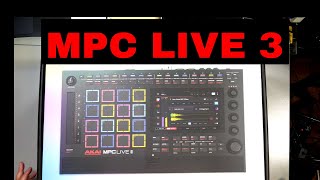
AKAI MPC LIVE 3 UNBOXING!
4.1K views