
How to Use Asana AI Features for Project Status Updates, Summaries and More | Asana AI Tutorial
🛍️ Products Mentioned (4)
Subscribe to our newsletter: https://cirface.com/newsletter Most Asana users have AI turned on, but only a handful are actually using it. In this demo, I show you how to use Asana AI Features, we walk through three built-in AI features that make day-to-day project management faster: AI-generated project status updates with custom guidance, AI project summaries and risk reports delivered straight to your inbox, and the Asana AI chat for getting instant answers about your projects without building a single dashboard. No rules, no prompts, no Asana AI Studio setup required, these are the AI features that are ready to use right now. If you manage ongoing projects and want to spend less time writing updates and chasing status, this is the walkthrough for you. #Asana #AsanaAI #AsanaIntelligence #AIProjectManagement #ProjectManagement Need help with Asana? ☎️ Book a call with me: https://cirface.com/book-a-call 📧 Subscribe to our newsletter: https://cirface.com/newsletter 🌐 Check out our website: https://cirface.com/ Don’t forget to subscribe!🔔 ABOUT OUR CHANNEL📜 This YouTube channel is created by me, Marquis Murray, CEO of Cirface, an Asana Platinum Partner and Asana Partner of the Year 2025. My goal is to help you gain clarity about the work within your organization by creating systems and processes. You'll learn how to create your own processes, as well as how to use my favorite tool for managing my life and business, Every day, I create systems to improve the businesses of my clients, automate workflows to make work easier, and align teams and organizations. Weekly doses of inspiration are delivered every Wednesday. FIND US AT🔍 🔗http://cirface.com/ GET IN TOUCH 📧 marquis@cirface.com FOLLOW ME ON SOCIAL LinkedIn : 🔗https://www.linkedin.com/in/marquisamurray/ Twitter : 🔗https://twitter.com/marquisamurray Facebook : 🔗https://www.facebook.com/groups/asanasolutions Instagram : 🔗https://www.instagram.com/marquisamurray/ List of The Gear I Use ⬇️ https://cirface.notion.site/Marquis-Murray-s-Amazon-Shop-126b1604ac4e805095e3ff9c6b600c15 Chapters: 00:00 - Introduction to Asana Intelligence Features 00:17 - Drafting Project Status Updates with AI 04:04 - Project Overview and AI Summaries 06:26 - Interacting with the Asana AI Chatbot 08:11 - Practical Use Cases for the AI Chatbot
🎬 More from Marquis Murray

How to Build a Creative Workflow in Asana (Forms, Rules & Automation)
64 views
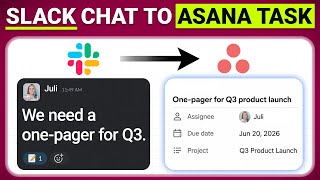
Asana Slack Integration Update + New Features: Timesheets & Capacity Planning | May 2026 Updates
114 views

Healthcare Marketing Automation: How to Automate Campaign Intake with Asana AI Features
133 views

How to Use Asana Portfolio Rules for Better Project Management | Asana Tutorial
313 views

3 Asana AI Features You Need to Try | Slack Integration, Rule Duplication & More
143 views

How to Build an Asana Dashboard for Project Status Reporting | Asana Tutorial
473 views