
Home Assistant THEMES for BEGINNERS!
🛍️ Products Mentioned (39)
w3 Schools Colors
Noctis Theme
Nordic Theme
iOS Themes
NOCTIS RED
Eve Flare Lamp
Desk Lamp
Monitors
Monitor Mounts
Editing Mouse
Gaming Mouse
Aula Keyboard
StreamDeck
Desk Microphone
Acoustic Panels
Chair
Studio Headphones
Gaming Headphones
Gaming Headphones Stand
Under-Cabinet Speakers
Webcam
Desk Backlighting Strip
Desk Backlighting Controller
Desk Backlighting Power Supply
Desk Board
Desk Brackets
Camera
Lens
Cooling Fan
Camera Stand
Microphone
Monitor
Key Light
Me a Coffee if you want
Website
FOLLOW on Reddit
Discord Product
GitHub

Amazon Shop
In this video I go over the basics of Home Assistant Themes! I cover how to change colors, fonts, border radii, and even background images! Thanks for watching! I hope this video helps you if you're wanting to create your own #theme or modify an existing one in #homeassistant! Installing HACS: https://www.youtube.com/watch?v=0hDyVoDGFbc w3 Schools Colors: https://www.w3schools.com/colors/colors_names.asp Noctis Theme: https://github.com/aFFekopp/noctis Nordic Theme: https://github.com/coltondick/nordic-theme-main iOS Themes: https://github.com/basnijholt/lovelace-ios-themes NOCTIS RED: https://github.com/makeitworktech/home-assistant-config/tree/main/themes I've left affiliate links below for any of the products in the video - if you decide to buy one, using the link will help me financially at no additional cost to you! Thanks! -- The Stuff behind me -- Eve Flare Lamp: https://amzn.to/3VJaBTg Desk Lamp: https://amzn.to/3WkdZmF Monitors: https://amzn.to/3ZgN63r Monitor Mounts: https://amzn.to/3vN1z9M Editing Mouse: https://amzn.to/3WiPaHz Gaming Mouse: https://amzn.to/3yd8Ww5 Aula Keyboard: https://amzn.to/3Wke1eh StreamDeck: https://amzn.to/3wqEfyY Desk Microphone: https://amzn.to/4cVjVcA Acoustic Panels: https://amzn.to/3wnALNV Chair: https://amzn.to/3XAgfoX Studio Headphones: https://amzn.to/3WVnffR Gaming Headphones: https://amzn.to/4dx80lt Gaming Headphones Stand: https://amzn.to/4cRdBmF Under-Cabinet Speakers: https://amzn.to/3IxkHQP Webcam: https://amzn.to/4dbIL7L Desk Backlighting Strip: https://amzn.to/3vJvLCX Desk Backlighting Controller: https://www.athom.tech/blank-1/wled-high-power-led-strip-controller Desk Backlighting Power Supply: https://amzn.to/3IwduAD Desk Board: https://amzn.to/3CwFbFy Desk Brackets: https://amzn.to/3GJHDeh --Filming setup-- Camera: https://amzn.to/3WB1rsr Lens: https://amzn.to/3WAClK0 Cooling Fan: https://amzn.to/3YfXien Camera Stand: https://amzn.to/3XifZux Microphone: https://amzn.to/3WRpYXV Monitor: https://amzn.to/3vMcnoB Key Light: https://amzn.to/3WTJkvo ---- DISCLAIMER: This video and description contains affiliate links, which means that if you click on one of the product links, I’ll receive a small commission at no extra cost to you! Join this channel to get access to perks: https://www.youtube.com/channel/UCGoreZKPBtCXCf54F3DF4ug/join Buy Me a Coffee if you want: https://www.buymeacoffee.com/makeitwork.tech Website: https://www.makeitwork-tech.com/ Chapters: 00:00 Intro to Themes 01:11 Default themes 02:53 Installing Custom Themes 06:28 Creating Your Own Theme 11:03 Modifying a Custom Theme (BEST PART) 12:51 Modifying: Border Radius 13:57 Modifying: Colors 15:40 Modifying: Background Image 17:09 Modifying: Fonts 18:58 Modifying: Headings Only Font 20:27 My Favorite Themes 21:00 Final Thoughts The socials: ▶FOLLOW on X: https://X.com/MakeItWorkTech ▶FOLLOW on Instagram: https://www.instagram.com/makeitworktech/ ▶FOLLOW on Facebook: https://www.facebook.com/MakeItWorkTech ▶FOLLOW on Reddit: https://reddit.com/user/Make_Itt_Work ▶JOIN my Discord: http://discord.gg/cb7jNh37p2 ▶CHECK OUT my GitHub: https://github.com/makeitworktech/home-assistant-config/ ▶CHECK OUT my Amazon Shop: https://www.amazon.com/shop/makeitwork
🎬 More from Make It Work

Z-WAVE in Home Assistant for Beginners! (2026)
6.3K views
Apollo Automation: Made for Home Assistant!
7.7K views
My three favorite OOB hardware for Home Assistant! #smarthome #homeautomation
26.6K views
5 reasons I love the UNVR!
3.4K views
a monster of a PoE switch!
4.0K views
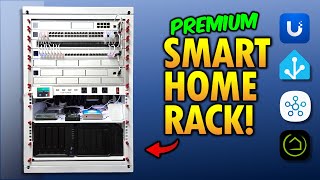
My 2025 SMART HOME Network RACK! (Build & Tour)
90.5K views