
Lenovo Legion Y700 (2022 model) review after 6 MONTHS - The best small Android TABLET
🛍️ Products Mentioned (3)
In this video I want to show you what the Lenovo Legion Y700 (model 2022) is like after my first 6 months with it. It is one of the few really powerful small tablets with video output via the USB Type-C port. I hope you like it and if you have any questions please leave them in the comments. [Links] - Affiliate link to buy the tablet in Aliexpress: https://s.click.aliexpress.com/e/_DEwPkNv - My repo with info about the tablet (Root, Install ZUI 15, ZUI 14, flash CN stock ROM to recover a brick, etc): https://github.com/LinuxDroidMaster/Lenovo-Legion-Y700-ROMs [Videos] - How to install GSI ROMs (CRDROID) - Lenovo LEGION Y700 2022 (TB9707F) - Android 14 [Custom ROM]: https://youtu.be/zQ0Guo1v9LA?feature=shared - How to root Lenovo Legion Y700 2022 model: https://youtu.be/eVR1i7yASXA?feature=shared - How to flash CN STOCK ROM to Lenovo LEGION Y700 2022 with ZUI14: https://youtu.be/VaCjtUDoqXA?feature=shared -------- - How to install Termux X11 (LINUX ON ANDROID): https://www.youtube.com/watch?v=mXkXzFqSeYE - How to customize your Termux environment (Debian proot): https://www.youtube.com/watch?v=rDHyPw_7ETs - Ubuntu proot with GNOME desktop: https://www.youtube.com/watch?v=_vxhzSG2zVQ - How to customize Termux shell: https://www.youtube.com/watch?v=nqPyEN9h87c [Community] - Telegram: https://t.me/+yE-asc3LzXY0ZGY0 - Discord: https://discord.gg/ddvpK997Qu [Music] 🔻 "Artificial.Music - And So It Begins [Lo-fi]" is under a Creative Commons license (CC-BY) 3.0 Music provided by BreakingCopyright: https://www.youtube.com/watch?v=BH-SnQ8J1VU&list=PLfP6i5T0-DkIMLNRwmJpRBs4PJvxfgwBg&index=1 🔺 [Timeline] 00:00 Intro 00:15 Technical Specs 00:15 Physical review 00:50 Use cases - modes: Tablet, Docked, TV, Companion 00:50 Tablet mode with keyboard and mouse 02:00 Android an ZUI versions - Why I use ZUI 14 instead of ZUI 15 02:20 Special settings that this tablet has (PC Mode, Gaming mode, Smart Split) 02:35 Legion Assistant (Gaming mode) configuration 03:24 Custom switch configuration 03:52 Smart Split functionality (force applications to be in landscape) 04:34 PC mode without external monitor 04:55 Bluetooth Gamepad and gaming preview (Android native and emulation) 05:43 Free window and split screen functionalities 06:10 Reading on the Lenovo Legion Y700 06:20 Best case for the Lenovo Legion Y700 06:49 TV mode (external display) 07:13 Gaming on a TV 07:38 Mirror mode on an external display 07:55 Emulating PS2 games on an external display 08:14 Docked mode (connected to an external monitor) - Productivity 09:09 Gaming on an external monitor 09:20 Can it replace a laptop/PC? 10:40 How I use the tablet to replace my computer 11:14 Companion mode: Android tablet + Windows PC #android #tablet #smalltablet #lenovo #legion #y700 #linuxonandroid #termux
🎬 More from DroidMaster

NEW Japan anime figure haul: Nendoroids, One Piece & More
61 views
I used the SURFACE PRO 12 every day for 4 months (REVIEW AFTER 4 MONTHS)
2.2K views
GameSir X5S vs ABXYLute S8 – Which one should you BUY?
2.3K views
Lenovo Legion Y700 2023 Switch Emulation (with EDEN) – Zelda, Pokémon, Animal Crossing and more!
7.9K views
The ultimate website for Android EMULATORS & GAMING - Eden, Citron, Citra, Drastic, NetherSX2
1.5K views
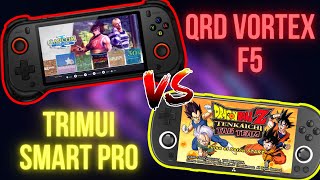
QRD Vortex F5 vs TrimUI Smart Pro – Which One’s Worth It?
2.5K views