
How to install PARROT OS on ANDROID with Termux X11 - Easy install - No root - Linux on Android
🛍️ Products Mentioned (5)
In this video I show you how to install Parrot OS on a proot-distro environment on Termux X11. You can download the following backups to just restore them or follow all the manual installation to learn about Termux :) [Links] - Backup with hack the box customization (~5GB): https://mega.nz/file/1al3RQxa#1jbHkQQXx4h00eDAkzyTz3eHZgHYQ_qZzow570JCpk8 https://www.mediafire.com/file/biiqgwf43jaj4xr/ParrotBackup_HTBcustom/file - Backup without customization (~2.7GB): https://mega.nz/file/xHVn1ARY#Zhz3lRGa_SSFF_XOLgiGZdyKdesQeGTt_m2sG1A71UI https://www.mediafire.com/file/sogyf9b6uhf4w8e/ParrotBackupXFCE4_nocustomization/file Note: You can find the links in my repo too - My repo with info about Termux and Linux Desktops (all steps are here): https://github.com/LinuxDroidMaster/Termux-Desktops [Videos] - How to install Termux X11: https://www.youtube.com/watch?v=mXkXzFqSeYE - How to customize your Termux environment (Debian proot): https://www.youtube.com/watch?v=rDHyPw_7ETs - Debian Chroot: https://www.youtube.com/watch?v=EDjKBme0DRI - Ubuntu Chroot: https://www.youtube.com/watch?v=rYJaG0uFtdc - Ubuntu proot with GNOME desktop: https://www.youtube.com/watch?v=_vxhzSG2zVQ - How to customize Termux shell: https://www.youtube.com/watch?v=nqPyEN9h87c - How to install Termux: https://youtu.be/OMJAyq5NHp0 - How to install Linux on Android: https://www.youtube.com/watch?v=jLcz0SoA1jI - How to know your Android CPU architecture: https://youtu.be/O2-BjXmPznw [Community] - Telegram: t.me/+yE-asc3LzXY0ZGY0 - Discord: discord.gg/ddvpK997Qu [Music] 🔻 "Artificial.Music - And So It Begins [Lo-fi]" is under a Creative Commons license (CC-BY) 3.0 Music provided by BreakingCopyright: https://www.youtube.com/watch?v=BH-SnQ8J1VU&list=PLfP6i5T0-DkIMLNRwmJpRBs4PJvxfgwBg&index=1 🔺 [Timeline] 00:00 Intro 00:26 How to install Parrot OS on Android with hack the box customization from backup 02:10 How to install Parrot OS on Android from backup (lighter) 03:12 How to install Parrot OS on Android: manual process 04:59 How to create and configure a new user on Parrot OS for Android 05:36 How to fix XFCE4 Desktop errors 06:27 How to install apps on Parrot OS (Firefox, Chromium, VS Code, etc) 08:19 How to install the Hack The Box customization manually 09:31 How to search and install hacking/cybersecurity tools in Parrot OS 09:50 How to remove and uninstall Parrot OS
🎬 More from DroidMaster

NEW Japan anime figure haul: Nendoroids, One Piece & More
61 views
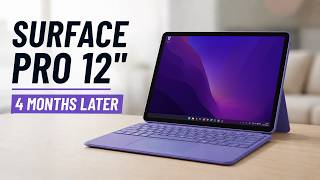
I used the SURFACE PRO 12 every day for 4 months (REVIEW AFTER 4 MONTHS)
2.2K views

GameSir X5S vs ABXYLute S8 – Which one should you BUY?
2.3K views
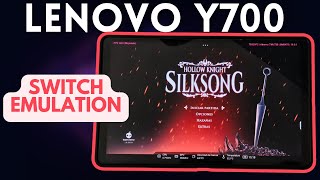
Lenovo Legion Y700 2023 Switch Emulation (with EDEN) – Zelda, Pokémon, Animal Crossing and more!
7.9K views
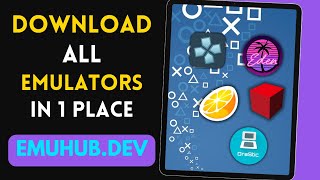
The ultimate website for Android EMULATORS & GAMING - Eden, Citron, Citra, Drastic, NetherSX2
1.5K views

QRD Vortex F5 vs TrimUI Smart Pro – Which One’s Worth It?
2.5K views