
EASY WINLATOR GUIDE (GAMEPAD + SD) How to install and configure WINLATOR to run PC Games on ANDROID
🛍️ Products Mentioned (4)
In this video I show you how to install and configure Winlator to use the microSD card and a gamepad with it. This application allows us to run PC Games or programs on Android and it is very easy to configure. I will show you also how to extract ISO games on Android to install them with WINLATOR. In my case this setup was running way better than Mobox and even Box64Droid when trying to execute Balatro game. Let me know your own tests! [Links] - Winlator official repository: https://github.com/brunodev85/winlator/releases - Files app to copy the microSD card path: https://play.google.com/store/apps/details?id=com.google.android.apps.nbu.files&hl=es_419 - RAR app to uncompress ISO files: https://play.google.com/store/apps/details?id=com.rarlab.rar&hl=es_419 [Related videos] - How to run WINDOWS programs/games on ANDROID - How to install Mobox Emulator (BOX64 & WINE) - Termux: https://youtu.be/SfCKHWUwAr0?feature=shared - How to run Windows games and programs on Android with Box64Droid (MOBOX & WINLATOR alternatives): https://youtu.be/yslKsp0Rb_A?feature=shared [Other videos] - How to install Termux X11 (Linux on Android): https://www.youtube.com/watch?v=mXkXzFqSeYE - How to customize your Termux environment (Debian proot): https://www.youtube.com/watch?v=rDHyPw_7ETs - Debian Chroot: https://www.youtube.com/watch?v=EDjKBme0DRI - Ubuntu Chroot: https://www.youtube.com/watch?v=rYJaG0uFtdc - Ubuntu proot with GNOME desktop: https://www.youtube.com/watch?v=_vxhzSG2zVQ - How to customize Termux shell: https://www.youtube.com/watch?v=nqPyEN9h87c - How to install Termux: https://youtu.be/OMJAyq5NHp0 - How to install Linux on Android: https://www.youtube.com/watch?v=jLcz0SoA1jI - How to know your Android CPU architecture: https://youtu.be/O2-BjXmPznw [Community] - Telegram: https://t.me/+yE-asc3LzXY0ZGY0 - Discord: https://discord.gg/ddvpK997Qu [Music] 🔻 "Artificial.Music - And So It Begins [Lo-fi]" is under a Creative Commons license (CC-BY) 3.0 Music provided by BreakingCopyright: https://www.youtube.com/watch?v=BH-SnQ8J1VU&list=PLfP6i5T0-DkIMLNRwmJpRBs4PJvxfgwBg&index=1 🔺 [Timeline] 00:00 Intro 00:28 How to download and install WINLATOR for ANDROID 01:05 How to configure WINLATOR 01:55 How to configure the micro SD card in WINLATOR 02:45 How to run PC games in WINLATOR + Gameplay 05:07 How to uncompress and install .ISO games for WINLATOR in Android 06:38 How to improve performance in heavier games in WINLATOR 07:25 How to add / configure a GAMEPAD in WINLATOR #linux #winlator #termux #pcgames #android #winlatoremulator #windowsonandroid #androidgaming
🎬 More from DroidMaster

NEW Japan anime figure haul: Nendoroids, One Piece & More
61 views
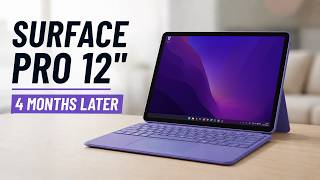
I used the SURFACE PRO 12 every day for 4 months (REVIEW AFTER 4 MONTHS)
2.2K views
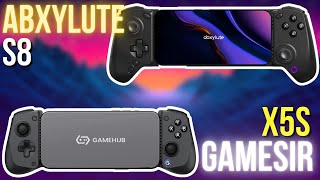
GameSir X5S vs ABXYLute S8 – Which one should you BUY?
2.3K views
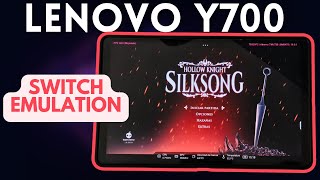
Lenovo Legion Y700 2023 Switch Emulation (with EDEN) – Zelda, Pokémon, Animal Crossing and more!
7.9K views

The ultimate website for Android EMULATORS & GAMING - Eden, Citron, Citra, Drastic, NetherSX2
1.5K views

QRD Vortex F5 vs TrimUI Smart Pro – Which One’s Worth It?
2.5K views