
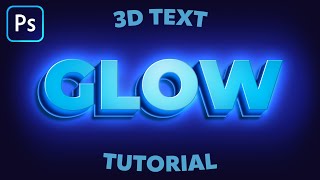
3D Bold Text/Logo Effect | Photoshop Tutorial + PSD File
🛍️ Products Mentioned (7)
► SUBSCRIBE: http://goo.gl/LIXLNQ In this tutorial, we will learn how to create a 3D Bold Text effect using the Layer styles option in Photoshop 2020. This glass effect can be added to anything layer or text object in Photoshop, and can also be saved as a layer style preset, or the effect can be copied and pasted on to other layers quickly and easily.I hope you enjoy my video & don't forget to hit that LIKE button :) 🔴PSD File:👉 https://bit.ly/3sXkFYN 🔴Font:👉 https://bit.ly/3gL1jBa ► MUSICS______________________________________________________ Serenade by Scandinavianz & Limujii https://soundcloud.com/scandinavianz https://soundcloud.com/limujii Creative Commons — Attribution 3.0 Unported — CC BY 3.0 Free Download / Stream: https://bit.ly/2UdYiBd Music promoted by Audio Library https://youtu.be/XLm5D-R6rN0 _________________________________________________________________ ►LET'S CONNECT: Facebook: http://facebook.com/LearningScreenPage Instagram: https://www.instagram.com/learningscreen Deviantart: https://www.deviantart.com/learningscreen #Learningscreen #PhotoshopManipulation #PhotoshopTutorial
🎬 More from Learning Screen
Why Genspark Is the Hidden Gem of AI Platforms (All-in-One Power!)
2.2K views
Product Photo Manipulation - Photoshop VS AI | X- Design
3.6K views

The AI Video Maker is Amazing and it’s FREE!
16.7K views
Turning my 2D Image Into a Stunning Video with Hailuo AI | Photoshop Manipulation to Motion
129.7K views
Fantasy Photo Manipulation Speed Art | Photoshop Tutorial
64.6K views
How to Make Glowing 3D Text in Photoshop | Tutorial
96.1K views