
GetResponse Tutorial for Beginners [Email Marketing]
🛍️ Products Mentioned (1)
Welcome to my GetResponse tutorial for beginners. I divided this GetResponse tutorial into multiple small lessons. FREE GetResponse account https://www.getresponse.com/?a=yQCwNYanKN Use my above link, and as a thank you, if you DO sign up through my unique link, I will send you a free gift (ebook) 50 daily newsletter signups. In this ebook I show you the 3 steps I took to get to 50 daily newsletter signups per day. If you already have an account, but you did watch the full video, I still want to thank you and send you my free gift (ebook). If you want to receive this free gift drop me an email at info[@]creatoregg[.]com. 👀 Subscribe https://www.youtube.com/channel/UC4VYmCHQ5n_NjL4tafzP5QA Timestamps: 0:00 Intro Free gift for you: 05:13 FREE gift (ebook) How to create a free account: 07:57 How to create a free GetResponse account GetResponse account settings: 11:32 Check your time zone setting 12:31 Why and how to get your own email address 22:50 Change these list settings Step-by-step instructions: 27:44 Creating a website with the GetResponse Website Builder 49:44 Creating a product page with the GetResponse Conversion Funnel Builder 01:10:42 Create thank you page with the GetResponse Conversion Funnel Builder 01:17:11 How to create a GetResponse landing page 01:29:07 How to create a thank you page for free download /w GetResponse 01:38:26 How to use the Automation Workflow builder for a free give away Use this CNAME entry for subdomain for landing pages: Squeeze.gr8.com 01:46:34 How to add subdomains for landing pages Change DNS settings when adding a root domain for landing pages to this: ns-a-1.getresponse.com ns-a-2.getresponse.com 01:53:48 How to add root domain for landing pages 01:57:20 How to add custom root- or subdomain to Website Builder Recap: 02:01:52 Conclusion - MUST watch! (recap) #GetResponseTutorial
🎬 More from Learn with Robbin
Shopify Color Swatches Tutorial (2026 update)
15 views
Shopify Color Swatches Tutorial - 2026 (Shopify Horizon Theme Tutorial)
51 views

Shopify Personalized Products - 2026 Tutorial (TeeInBlue Product Personalizer)
202 views
Shopify SEO Tutorial 2026 (Search Optimization Tips For Beginners)
124 views
Shopify Custom Product Options - 2026 Tutorial (Product Personalizer Customily)
162 views
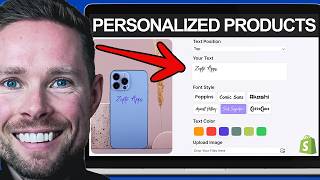
Customizable Shopify Products - 2026 Tutorial (Zepto Product Personalizer)
234 views