
Klaviyo Flows Tip: How to Preview a Flow Trigger (2026 Update)
🛍️ Products Mentioned (1)
Klaviyo Flow Trigger Preview: confirm exactly who enters your flow (and why) with the trigger setup preview—before you turn it on. What you’ll learn: - How to open the Klaviyo trigger setup preview from any Klaviyo flow trigger (Flows → select a flow → Manage Flow → Preview) - How to search for a specific profile or use sample profiles to validate your Klaviyo trigger criteria - How to interpret green vs. red indicators to quickly see who qualifies (or doesn’t) for your Klaviyo abandoned cart flow - How to review the full Klaviyo flow logic for a profile, including Klaviyo time delays, Klaviyo conditional splits, webhooks, and profile/list updates - How Klaviyo trigger filters can disqualify someone (e.g., placing an order after the trigger event) and how to spot the exact rule that stopped entry By the end, you’ll be able to use Klaviyo Flow Trigger Preview to evaluate real profile paths, troubleshoot trigger setup issues, and confidently launch Klaviyo flow automation that behaves exactly as intended. ⏱️ Timestamps: 00:00 Introduction – Overview of Klaviyo Flow Trigger Preview and how Klaviyo trigger setup preview helps validate Klaviyo flow automation behavior 00:37 Open Flow & Preview – Navigate to Flows, select a Klaviyo flow trigger (example: Klaviyo abandoned cart flow), then Manage Flow → Preview to launch the trigger setup preview 01:13 Sample profiles & indicators – Use sample profiles to see who meets Klaviyo trigger criteria, what enters the flow, and how the Klaviyo Flow Trigger Preview tool flags qualification 01:45 Flow logic breakdown – Review Klaviyo flow logic for a selected profile, including Klaviyo time delays, Klaviyo conditional splits, and other actions shown in the preview path 02:04 Diagnose “Doesn’t enter” – Troubleshoot why a profile fails Klaviyo trigger criteria, identify Klaviyo trigger filters that disqualify entry, and confirm what blocked the flow trigger 02:45 Review & Turn On – Exit preview, keep editing, then use Review and Turn On to confidently launch your Klaviyo flow automation after validating trigger setup preview Got questions about Klaviyo Flow Trigger Preview, trigger criteria, or troubleshooting flow entry? Drop a comment below with your feedback or what tutorial you’d like to see next—we’d love to hear from you! ABOUT KLAVIYO Klaviyo (NYSE: KVYO) is the only CRM built for B2C brands. Powered by its built-in data platform and AI insights, Klaviyo combines marketing automation, analytics, and customer service into one unified solution, making it easy for businesses to know their customers and grow faster. Create your free account today: https://www.klaviyo.com/sign-up 💡 Don't forget to Subscribe on YouTube and follow us here: Twitter: https://twitter.com/klaviyo Linkedin: https://www.linkedin.com/company/klaviyo/ Facebook: https://www.facebook.com/Klaviyo/ Instagram: https://www.instagram.com/klaviyo/ #Klaviyo #KlaviyoFlows #KlaviyoFlowTriggerPreview #EmailMarketingAutomation #EcommerceEmail #MarketingAutomation #KlaviyoAutomation #LifecycleMarketing
🎬 More from Klaviyo
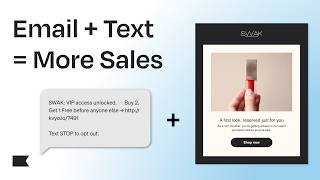
How to Integrate Email & Text Messaging for Higher Conversions | Klaviyo Tips
120 views

How to Use SMS Marketing to Boost Conversions and Drive Immediate Revenue
166 views

How This Shoe Brand Boosted Clicks by 2500% with AI
238 views

How to Build an Advanced Omnichannel Content Calendar (Klaviyo Guide)
177 views

What Is an Advanced WhatsApp Marketing Strategy? (Complete Guide)
230 views

How to Use Forms at Every Stage of the Marketing Funnel (Klaviyo Guide)
122 views