
How to Create Omnichannel Campaigns in Klaviyo: Campaign Builder Tutorial
🛍️ Products Mentioned (2)
In this video, you'll learn how to create and launch an effective omnichannel marketing campaign using Klaviyo's powerful omnichannel campaign builder. By the end of this step-by-step tutorial, you'll be able to build custom message paths, segment your audiences, and leverage the full potential of omnichannel communication to drive sales and strengthen your brand. Ready to deepen your knowledge? Learn more in the Klaviyo Help Center: https://help.klaviyo.com/hc/en-us/articles/40939669530011 This video walks you through the entire process of setting up an omnichannel campaign in Klaviyo, including: - Navigating to the campaign builder and setting up a new campaign - Creating multiple audiences (like VIP segments, engaged users, and churn risk) - Adding and customizing messages in different channels—email, SMS, push, and WhatsApp—for personalized customer paths - Scheduling your messages, adding tags, and utilizing smart sending features - Cloning messages and entire message paths to save time when building similar journeys - Monitoring performance in real-time with unified reporting, so you can see key metrics (open rates, revenue, deliverability) by message path and overall campaign By the end, you’ll have the confidence and skills to build, launch, and optimize omnichannel campaigns that meet your customers wherever they are and drive meaningful business results. – Timestamps: 00:00 Introduction and omnichannel overview 00:22 Importance of an omnichannel strategy 00:41 Introducing the Klaviyo omnichannel campaign builder 01:11 Navigating the campaign setup 01:44 Creating and naming your campaign 02:21 Choosing between single and omnichannel campaigns 02:46 Exploring the campaign builder canvas 03:00 Defining and naming audiences 03:40 Including or excluding segments 04:10 Creating your first message (SMS example) 04:39 Crafting and scheduling a text message 05:54 Adding an email message to the path 06:16 Personalizing email content and scheduling 06:52 Cloning messages for new audience paths 07:39 Cloning entire audience paths 08:20 Editing messages for new segments (e.g., churn risk) 08:42 Campaign overview and list view 09:00 Monitoring campaign performance and reporting 09:39 Adjusting reporting settings and conversion types 10:00 Viewing aggregate and individual message metrics 10:26 Unified reporting and campaign wrap-up 10:41 Final tips, encouragement, and resources Got questions or suggestions for future videos? Drop a comment below—we'd love to hear from you! – ABOUT KLAVIYO Klaviyo (NYSE: KVYO) is the only CRM built for B2C brands. Powered by its built-in data platform and AI insights, Klaviyo combines marketing automation, analytics, and customer service into one unified solution, making it easy for businesses to know their customers and grow faster. Create your free account today: https://klaviyogrowth.com/3ItOpFW – Don't forget to Subscribe on YouTube and follow us here: Twitter: https://twitter.com/klaviyo Linkedin: https://www.linkedin.com/company/klaviyo/ Facebook: https://www.facebook.com/Klaviyo/ Instagram: https://www.instagram.com/klaviyo/ #Klaviyo #KlaviyoCampaigns #KlaviyoOmnichannel #EmailMarketing #EcommerceMarketing #MarketingAutomation #CustomerRetention #SMSMarketing #DigitalMarketing #StepByStep #Tutorial #KlaviyoTips #BrandLoyalty #ProductLaunch #MarketingStrategy
🎬 More from Klaviyo
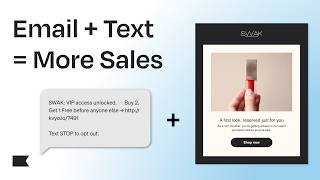
How to Integrate Email & Text Messaging for Higher Conversions | Klaviyo Tips
120 views
How to Use SMS Marketing to Boost Conversions and Drive Immediate Revenue
166 views
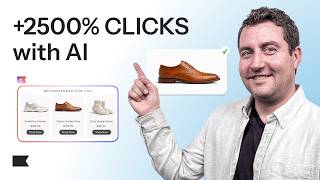
How This Shoe Brand Boosted Clicks by 2500% with AI
238 views

How to Build an Advanced Omnichannel Content Calendar (Klaviyo Guide)
177 views
What Is an Advanced WhatsApp Marketing Strategy? (Complete Guide)
230 views
How to Use Forms at Every Stage of the Marketing Funnel (Klaviyo Guide)
122 views