
Ditch Plex in 2025: Install Jellyfin on Ubuntu 24.04 (No Subscriptions!)
🛍️ Products Mentioned (14)
Jellyfin Wiki
Essential Commands:
Exam XK0-004
101 Labs - CompTIA Linux+
What Every Superuser Should Know
Linux Bible
KeepItTechie
Discord
Insta360 4K Webcam
Rode Procaster Microphone
RØDE RØDECaster Duo
Cloudlifter CL-1 Mic Activator
Logitech LED Streaming Light
Rocky Linux Supported by CIQ
Tired of Plex locking features behind a paywall? In this tutorial, I’ll walk you through setting up Jellyfin on Ubuntu Server 24.04 using Docker. You’ll learn how to prepare a dedicated media drive, spin up Jellyfin with Docker Compose, and get your personal media server running locally. Whether you're new to self-hosting or looking to break free from Plex, this video gives you everything you need to take back control of your content, the open-source way. Jellyfin Wiki: https://wiki.kitpro.us/en/articles/jellyfin Rocky Linux Supported by CIQ: https://ciq.com/products/rocky-linux/ CompTIA Linux+ Certifcation Course https://youtu.be/qNxuTRCRjoQ Remember to Like, Share, and Subscribe if you enjoyed the video! Also, if you are interested in more Linux content, please consider becoming a channel member so I can continue to produce great content! ✔️RECOMMENDED LINUX BOOKLIST ------------------------------- Linux Pocket Guide: Essential Commands: https://amzn.to/3xGPvsK CompTIA Linux+ Certification All-in-One Exam Guide: Exam XK0-004 https://amzn.to/3uQ3wmh 101 Labs - CompTIA Linux+ https://amzn.to/3vtj7rb How Linux Works: What Every Superuser Should Know https://amzn.to/3vrLkOO Linux Bible https://amzn.to/3rwEkPH ✔️SOCIAL NETWORKS ------------------------------- KeepItTechie: https://keepittechie.com/ Facebook: https://www.facebook.com/KeepItTechie Twitter: https://twitter.com/keepittechie Instagram: https://www.instagram.com/keepittechie/ Discord: https://discord.gg/RjZWuyd -------------------------------- ✔️RECORDING EQUIPMENT ------------------------------- Insta360 4K Webcam - https://amzn.to/3RddfgZ Rode Procaster Microphone - https://amzn.to/42RSInF RØDE RØDECaster Duo - https://amzn.to/4ct1T1X Cloudlifter CL-1 Mic Activator - https://amzn.to/4ic7BXv Logitech LED Streaming Light - https://amzn.to/4j7Z8FT -------------------------------- #Linux #Jellyfin #SelfHosted #UbuntuServer #opensource 0:00 Intro & Why Jellyfin 0:32 Overview of the Jellyfin Website & Setup Plan 1:17 Checking for Secondary Drive (/dev/sda) 2:16 Partitioning the Drive with fdisk 5:09 Creating the Filesystem (ext4) 6:42 Mounting the Drive 8:25 Setting Up fstab for Persistent Mount 9:42 Creating Movies, TV, and Music Folders 10:50 Installing Docker with KeepItTechie Script 13:38 Verifying Docker & Docker Compose Installation 13:56 Creating Docker Compose File for Jellyfin 15:03 Starting the Jellyfin Container 15:50 Finding Server IP & Accessing Jellyfin Web UI 16:14 Jellyfin Setup Wizard (Language, Admin, Libraries) 18:15 Setting Remote Access Options 18:17 Logging In and Reviewing Libraries 18:31 Jellyfin Dashboard Overview 19:48 Key Settings (Users, Library, Metadata, Playback) 20:49 Transcoding and Streaming Options 21:13 Plugins, API Keys, and Scheduled Tasks 21:55 Profile Settings and Usage Recommendations 22:11 Client Access Options 22:42 Reverse Proxy & Documentation Mention 22:51 Final Thoughts – Jellyfin vs Plex 23:19 Outro & KeepItTechie Signoff
🎬 More from KeepItTechie
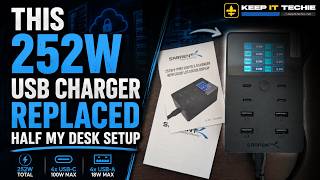
This 252W USB Charger Replaced Half My Desk Setup
244 views

Local AI on Linux: Run Your Own AI Without Big Tech
2.5K views

Your Home Server Is Probably a Security Risk
1.2K views

Stop Paying for Cloud Storage: Build Your Own Private Cloud
1.2K views

Your Ubuntu Server Needs a Static IP Address
445 views

AI Knows Exactly What You Want To Hear
783 views