
Starting a Podcast For Beginners - Stage 3: Podcast Assets
🛍️ Products Mentioned (6)
Claricast
Download the Podcast Production Process cheatsheet free
Download the Podcast Kickstart eBook free
Captivate (my favourite podcast host)*
Head over to
the Launch Planner (Free Download)
📖 Get the Launch Planner (Free Download) ➡ https://claricast.com/launch/ Welcome to stage 3 of the Starting a Podcast for Beginners 5-part series! Stage 1: https://youtu.be/uqNimYv-2dw Stage 2: https://youtu.be/7rf-bNPxVDM Stage 3: https://youtu.be/MS1rH8VREY4 Stage 4: https://youtu.be/D5ESvqxo7cM Stage 5: https://youtu.be/e-rRphLSlp0 (coming soon) Stage 3 is where you’ll be putting together the common assets that you’ll need for all of your podcast episodes - the intro & outro, the visual branding and your show notes template. I’m going to show you how I put these assets together. You can of course decide on what you want to do yourself and what (if anything) you want to outsource but we’re going to take a look and you can familiarise yourself with the assets that you’ll need. Firstly, we'll take a look at your intro and outro. A podcast intro and outro are like bookends to your podcast episodes. Your intro lets listeners know that they're in the right place and your outro calls them to take action if they want to dive in further and reinforces your branding. They come in different forms. Some podcasts have music, some have a generic description of the episode, and some have a custom intro a cold open clip, or a combo. And in this video, you'll learn how to create them. Next, we take a look at your visual branding. At minimum, this is the square cover art images that you see when searching for podcasts on Spotify or Apple Podcasts. And thirdly, you'll learn how to put together a template for your show notes. So that you can quickly create enticing descriptions for each of your episodes. Intro - 0:00 Planning Your Intro & Outro - 1:52 Creating Your Intro & Outro - 7:29 Creating Your Visual Branding - 14:22 Writing a Show Notes Template - 20:22 Final Thoughts - 24:29 How to Mix Podcast Vocals using EQ and Compression - https://youtu.be/CUPtHj5c1No Choosing the DAW (Recording Software) for you - https://youtu.be/gfpI5GNWlF4 - ▶ Download the Podcast Production Process cheatsheet free - https://www.claricast.com/ppp/ 🎙 Your podcast production reference guide for creating exceptional, professional episodes 🎧 ▶ Download the Podcast Kickstart eBook free - https://www.claricast.com/kickstart/ 🎙 Learn how to record exceptional episodes 🎧 Head to https://www.claricast.com for professional support with your podcast. Head over to https://www.joecrowtheaudiopro.com/ for more audio production tips & guides. Follow on Facebook - https://www.facebook.com/joecrowtheaudiopro/ Follow on Twitter - https://twitter.com/JoeCrowAudioPro Captivate (my favourite podcast host)* - https://www.captivate.fm/signup?ref=ywm3mtke *Disclosure - Affiliate link. I get a small portion of the sales, or a similar benefit.
🎬 More from Joe at Claricast
Is A Podcast Still A Podcast If It Has Video?
119 views
How To Come Up With A Good Podcast Name (And Subtitle)
106 views
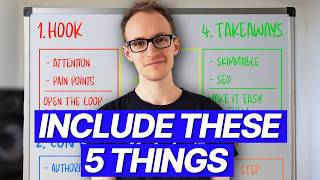
How To Write Podcast Show Notes (That Get People To Listen)
96 views
How To Make A Podcast Teaser Trailer (Like Diary Of A CEO)
457 views
What The Future of Podcasting Looks Like with 20+ Years Podcaster, Mark Hunter
78 views
Write Your Podcast Description Like This To Get More Listeners
104 views