
Finding the Right External Storage Upgrade For Your Mac
🛍️ Products Mentioned (11)
Top Deals
Best Buy Mobile App
Micro SD Cards
Flash Drives
WD External HDD
Samsung T7 SSD
Synology NAS
1Password
Sony A7Siii
14in M3 Max MacBook Pro
Mac Studio
Check out today’s sponsor Best Buy and their Top Deals and Mobile App below: Top Deals: https://go.magik.ly/ml/1xci0/ Best Buy Mobile App: https://go.magik.ly/ml/2207c/ Micro SD Cards: https://go.magik.ly/ml/2207d/ Flash Drives: https://go.magik.ly/ml/220b0/ WD External HDD: https://go.magik.ly/ml/2207j/ Samsung T7 SSD: https://go.magik.ly/ml/2207l/ Synology NAS: https://go.magik.ly/ml/2207n/ Products/Services I use: 1Password: https://go.magik.ly/ml/215q1/ Sony A7sIII: https://go.magik.ly/ml/220aj/ M3 Max Macbook Pro: https://go.magik.ly/ml/220ak/ Mac Studio: https://go.magik.ly/ml/1u5px/ Timestamps: 0:00 Introduction 0:24 SD Cards 1:24 Flash Drives 4:04 Cloud Storage 6:00 Hard Drives (HDD) 7:25 Solid State Drives (SSD) 9:16 3-2-1 Backup 10:39 Network Attached Storage (NAS) 13:01 Conclusion If you’re a Mac user you learn very quickly and harshly that you can’t upgrade your computer’s internal drive like you can with almost any other laptop. Your needs changed, you thought the smallest size was fine, but now you need more. So you think of solutions to solve that. And that’s what I’ll try to break down for you today. Here’s all the storage options available to you and what would work best for what you personally do. Let’s start. #BestBuyPaidPartner
🎬 More from Jimmy Tries World
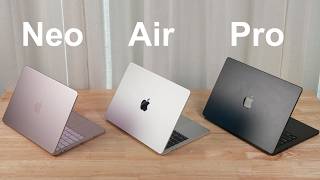
The MacBook You Should ACTUALLY Buy - 2026 Buyer’s Guide
22.4K views
The M5 MacBook Air Is Different Now
100.4K views
Living With The Cheapest New MacBook: MacBook Neo
32.3K views
I Replaced My iPhone With An Apple Watch for 30 Days
15.7K views
I Tried Finding the PERFECT Digital Picture Frame
19.0K views
Living with Slightly Older Apple Tech Was Eye-Opening
57.3K views