Is this your channel?
The Command Browser
The Command Browser is a helpful add-on for finals season when I’m researching and jumping between tasks. Anything that speeds up searching and navigating makes studying feel smoother and less frustrating.
Buy on Apps
You'll be taken to Apps to complete your purchase.
Pros
- +Supports faster searching and navigation
- +Helpful for research-heavy study sessions
Cons
- -May take a little time to get used to your workflow
What Janice Studies says
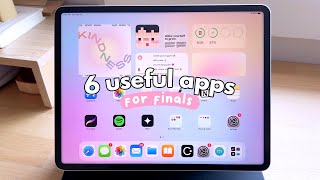
“hey guys it's janice welcome back since finals are probably coming up for you guys i decided to film another set of must-have apps and extensions for students all of these are free to download and use so let's get started thanks to grammarly for sponsoring this video the first must-have app for final exams is time warp which is a chrome extension that deters you from visiting distracting websites when you should be studying instead it's quite unique from other website blockers since this one doesn't just simply block the web address but instead it can either redirect you to a more productive website of your choice show your favorite motivational quote or set a timer to track your time spent on a certain website so for instance if you want to go to youtube or facebook you can set it to automatically redirect you to your school course page your student notion dashboard quizlet etc and hopefully over time it'll make you feel like doing work instead the next one is greatest it's simply a great calculator that will help you determine what score you need on your exam to achieve a certain final grade in your course so for instance you would just input what final grade you want in the course what your current grade is and how much your exam is worth it will then give you the grade you need on that exam to achieve the final grade that you want super handy there's a few other calculators in this app that you can make use of for example you can put in your final exam score to see what your final grade will be there's also a quick grade calculator for any of your assignments and exams if your assignments are weighted across a few categories then you can edit and play with these values as well and if you enjoy customization this app also comes with a few different color themes the next app is momentum except this one is actually on ios and ipad os most people are familiar with it as a chrome extension but now you can install it as an extension for safari on your apple devices it basically replaces your new tab page on chrome to make it more personalized and useful as a productivity tool you can set your focus for the day which will appear every time you open a new tab there are other neat little features like creating a to-do list in the corner here that you can tick off as you complete tasks and also view mantras or quotes as a form of motivation i've used this extension for years and i'm so glad to finally see it come to the iphone and ipad another must-have app when it comes to finals is grammarly which is an all-in-one writing tool that will save you so much time when you're juggling between assignments and studying grammarly is free to download and you can easily integrate it into your workflow in google docs microsoft word powerpoint gmail etc the free version comes with basic grammar and spelling suggestions which are incredibly helpful and with premium you can make use of even more advanced features to maximize your writing potential one way you can save time with grammarly is by using its free synonym feature which suggests and replaces words with just a couple clicks so you never have to leave the page for a thesaurus another way is by using its free goal setting feature where you can input very specific writing goals so that grammarly can tailor its suggestions to fit the audience you're writing to such a handy and smart feature with grammarly premium you can also make use of its plagiarism detector to ensure your work is original before submitting i love using grammarly in my day to day life since it's a huge time saver it's so useful for writing professional emails that make me sound so much more confident and clear especially when i'm in a time crunch so with finals week and assignments piling up succeed in school with tools like grammarly sign up for a free account and get 20 off grammarly premium next up is the command browser this is essentially a browser alternative that lets you highlight anything including images while you're browsing the page so you can actively engage with the content instead of passively read it you can also use their journal feature where you can make a note under anything you highlight and these nodes will be saved into your own private journal in the browser i'm still playing around with it but so far i'm enjoying the productive features and how it makes engaging with content more meaningful last but not least we have lo-fi which is a website that puts lo-fi music on loop along with some aesthetic background art because what is a good work session without the right atmosphere what i found really cool when i first visited the website is that you can interact with some elements in the artwork to introduce some audio elements like rain or keyboard so you're kind of like customizing the atmosphere a little bit it's nice to have this running in the background just for some cozy vibes and the artwork is quite immersive as well especially if you full screen the web page they do have some study tools like timers as well which are unfortunately blocked behind a paywall but when it comes to timers you can find a lot of alternative applications and extensions that do that and i do cover some of these in my previous useful apps videos so do check out the playlist so that's it for this video i hope you guys enjoyed it if you did please give it a thumbs up leave a comment hit the subscribe button and turn on the bell so you don't miss any of my videos i'll see you guys next time”