Is this your channel?
i miss my library
“i miss my library” is one of those cozy websites that helps set the mood when you’re studying at home. I like using it when I want that quiet library feeling without actually going anywhere.
Buy on Imissmylibrary
You'll be taken to Imissmylibrary to complete your purchase.
Pros
- +Creates a cozy, library-like study vibe
- +Simple to use while you work
Cons
- -More of an ambience tool than a productivity system
What Janice Studies says
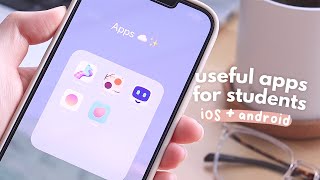
“hey guys it's janice welcome back in today's video i'm gonna be sharing a mix of seven free useful and chill apps for students on both desktop and phone most of the phone apps are available on both ios and android so let's get started thanks to grammarly for sponsoring this video today the first app is dawn which is a minimalist calendar app that you can use to track any events tasks and reminders it has a nice and simple aesthetic and it's super easy to just view your tasks on a daily weekly and monthly layout you can easily set new tasks and also make subtasks or to-do's under them which you can then tick off as you go i think this would be great for those who want a separate calendar for school or work for instance you could just use this to track all your homework exams and other due dates it also comes in dark mode which is always a plus overall it's a very simple calendar that is easy to use functional and aesthetically pleasing next is a website called i miss my library this website tries to emulate the ambient environment of a library by offering soft background noises like rain and turning pages etc so once you set a to-do list you can start playing around with the ambience turning the volume up and down turning sounds on and off i found it so fun that they also have the sound of writing on an ipad which for some people is kind of a source of asmr for a website like this i do encourage you to spend some time playing around with the volumes of each sound to create your perfect ambient library environment that way you can make something that is not too distracting but it's enough for you to stay focused on your work the next app is memo if any of you are interested in learning how to code this app is really useful for fitting short and sweet coding lessons into your day especially when you're on the go you can choose to learn web development or python and set your goals for daily learning sessions and right away you jump into the lessons it's interactive and requires you to answer questions and type in code instead of just reading and because of that i found it to be a very fun and engaging way of learning the different elements of coding especially as a beginner you can also start a playground where you can practice playing around with different codes to apply your learning and there is also a handy glossary for you to refer to at any time for any coding jargon you need to become familiar with next up is grammarly which is an all-in-one digital writing assistant that you need to download especially if you're a college student who's got a lot of assignments or you're heading into exam season and you need to save time grammarly is actually now a desktop application that you can quickly install and easily integrate into your workflow across many different applications that you're probably already using as a student like google docs microsoft word powerpoint etc it saves you time spent editing by analyzing your text and giving you spelling and grammar suggestions you can even tailor the suggestions they give you by using the setting goals feature that lets you make sure you're getting the right message across and all these features i've mentioned are free on top of that in the grammarly editor you can even find synonyms right on the page just by double clicking a word so you never need to open a new tab for a thesaurus and if you have paper requirements you can conveniently check your word count to track your progress this tool works where you work so i really enjoy it for not only papers but also when i'm sending emails to important people and want to make sure that i sound professional and confident it certainly saves me a lot of time when there's other things that i need to be doing so with midterms and assignments piling up you can succeed in school with tools like grammarly it's free so why not go to grammarly”