Is this your channel?
Blush
Blush is one of my favorite creative resources when you want your assignments to look nicer without spending forever designing. I use it as a fun way to add illustrations and make projects feel more polished and aesthetic.
Buy on Blush
You'll be taken to Blush to complete your purchase.
Pros
- +Great for adding clean illustrations to school projects
- +Makes assignments feel more aesthetic and polished
Cons
- -You still need to choose visuals that match your project style
- -Some features/assets may be limited depending on usage
What Janice Studies says
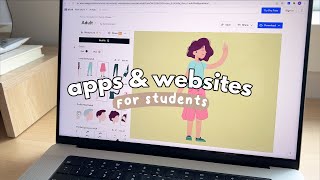
“hey guys it's janice it's been a while welcome back to my channel in today's video i'm gonna be sharing six apps websites and extensions for students all of these are free to download and use so let's get started this video is sponsored by grammarly the first one is row focus which is a chrome extension that offers a huge and completely free selection of ambient noises you can activate it when you're doing research typing up papers school notes or just have it running in the background when you're studying at your desk the reason why i like this one so much is because the sounds are actually quite natural and not too in your face for instance the wind and rain actually sound believable and they're not just some aggressive and disturbing noises which i find is the case with a lot of ambient noise platforms rofocus also has a focus timer built into it so you can sync your sounds to start and stop with the timer when you have the timer on there is a little icon in your chrome toolbar that shows a little brain and the timer countdown another neat thing they include is a section that explains why ambient noise is beneficial with links to research studies if you're interested so all the more reason to download it next is blush this resource offers tons of free and customizable illustrations that you can use in your own projects especially presentations for school we know how boring some powerpoint themes are and the more engaging your presentation is the better they have a lot of templates you can start out with from different artists so pick the one you like the most and start customizing with that you can mix and match outfits customize objects hair accessories backgrounds and when you're done you download the free png file and just simply place it into your presentations pamphlets etc you don't need to sign up to use it and you don't need to attribute the artwork to anyone either so it's all free for personal and commercial use so definitely give this a try to spice up your school projects and make them more unique and fun the next app is grammarly which is an all-in-one writing tool that can help you save time with writing assignments especially when you need to study for upcoming midterms and exams it's free to download and you can easily integrate it into your workflow whether you prefer google docs microsoft word powerpoint etc there is a free version with basic grammar and spelling suggestions but upgrading to grammarly premium will provide you with so many more advanced features to help you feel more confident about your writing some great ways you can save time with grammarly aside from grammar and spelling suggestions is by using its free synonym feature to find new words on the page instead of having to use multiple websites super handy for not only enhancing your writing but also expanding your vocabulary and when you find yourself rambling or writing sentences that are hard to read grammarly premium's clarity full sentence rewrite feature can fix that for you you can also double check that your work is original by using grammarly premium's plagiarism detector which checks your writing across 16 billion other web pages this writing tool has been so convenient when it comes to writing not only papers but also emails i'm on a time crunch so i can make sure i still sound professional and clear without having to spend so much time drafting up my words so with midterms and assignments piling up succeed in school with tools like grammarly it's free why not go to grammarly”