
Android 17 Recap – Every New Feature from Beta 1 to QPR1 Beta 3!
🛍️ Products Mentioned (6)
Android 17 recap featuring all the new features, hidden changes, UI improvements, performance upgrades, and quality-of-life enhancements added from Beta 1 through QPR1 Beta 3. With the official Android 17 release expected this month, this video serves as the ultimate guide to everything Google has introduced so far. From redesigned blur effects and smoother animations to privacy improvements, multitasking enhancements, accessibility upgrades, and hidden features, Android 17 has evolved significantly throughout the beta program. In this video, I revisit the most important additions from every Android 17 beta release and QPR build to help you prepare for the stable launch. This video covers: The biggest Android 17 features from Beta 1 to QPR1 Beta 3 Hidden features and undocumented changes UI redesigns, blur effects, and animation improvements The most useful Pixel-exclusive additions What to expect from the official Android 17 release If you've missed some of the Android 17 beta updates or want a complete overview before updating your Pixel phone, this is the only recap you'll need. 📱 Android 17 Complete Recap ✨ New & Hidden Features 🚀 Ready for the Official Release Wallpapers by IDTR (Channel's exclusive wallpapers app on the Play Store): https://play.google.com/store/apps/details?id=com.idtr.wallpapersidtr&hl=en Related Videos Playlist: https://www.youtube.com/playlist?list=PLslSVMTiEPtcfb4RVJBABYl9yvn8JEPQZ Follow me on: Facebook: https://www.facebook.com/In-Depth-Tech-Reviews-254187101927126/ Twitter: https://twitter.com/IDTechReviews Instagram: https://www.instagram.com/indepthtechreviews/ Amazon Affiliate Links: Amazon US: https://amzn.to/3AOk4MB Amazon UK: https://amzn.to/36uXJFM Amazon UAE: https://amzn.to/3k9LLcv Amazon Canada: https://amzn.to/3kg0aUy Amazon Germany: https://amzn.to/3hZ4zbT **Chapters** 0:00 - Intro 0:56 - Lock Screen 2:01 - Blur UI 2:56 - Home Screen 4:36 - Wallpaper & Style 5:26 - Exclusive Wallpapers 6:03 - System Wide Search 6:26 - Recent Apps Screen 7:00 - Widgets Picker 7:17 - Quick Settings 9:17 - Screen Recorder 12:07 - Media Controls 13:46 - Access Indicators 14:04 - Notification Shade 14:45 - Random Tweaks 16:04 - System Settings 22:33 - Outro
🎬 More from In Depth Tech Reviews
CUKTECH Power Banks Review – 210W Beast vs 55W Budget Champion!
762 views
Android 17 QPR1 Beta 4 - Hidden Features You Missed!
29.6K views
Google Apps Updates Episode 130 – 30 New Features (Photos, Drive & Android Auto!)
20.4K views
iOS 27 Developer Beta 1 – Top Features, New Siri & AI Photos Tools!
19.7K views
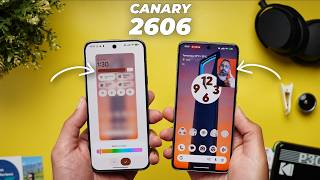
Android Canary 2606: Finally Something Really Exciting!
33.9K views

June 2026 Android Feature Drop: All New Features Explained!
20.0K views