
Wifi Smart Garage Door Control Setup
🛍️ Products Mentioned (5)
Learn how to integrate your garage door with a smart home system using Hubitat and Moross. This comprehensive guide walks you through the entire setup process, from creating virtual devices in Hubitat to configuring applets in IFTTT for seamless control. Discover how to connect your virtual garage door controller to your dashboard, and then link Hubitat with Moross via IFTTT to enable remote opening and closing functionality. This tutorial addresses key aspects of smart garage door automation, including troubleshooting common integration challenges like key generation in Moross. We provide clear, step-by-step instructions for setting up the necessary applets in IFTTT, ensuring your garage door responds to commands from your smart home hub. While there might be a slight delay due to the multiple communication layers involved, the convenience and enhanced control are well worth it. Affiliate Link Hubitat - https://amzn.to/3IfGpFJ Meross Garage Opener Kit - https://amzn.to/3oKxMLg Zigbee Light Switch - https://amzn.to/3zQe5qy Sengled Zigbee Smart Plug - https://amzn.to/3BWwxk4 Meross Wifi Smart Plug - https://amzn.to/3zJCFJX As an Amazon Associate, I earn from qualifying purchases. Chapters 00:00 - Introduction to Smart Garage Setup 00:03 - Adding a Virtual Device in Hubitat 00:13 - Selecting Virtual Garage Door Controller 00:25 - Naming and Saving the Device 00:34 - Adding Device to Dashboard 00:37 - Navigating to Apps Dashboard 00:45 - Updating and Completing Dashboard Setup 00:53 - Accessing Your Dashboard 00:58 - Placing the Garage Tile 01:08 - Connecting Hubitat to Moross via IFTTT 01:15 - Selecting the Created Device in IFTTT Integration 01:23 - Setting Up IFTTT for Garage Door Control 01:31 - Moross Controller Setup Link 01:38 - Creating IFTTT Account and Applet 01:46 - Logging in with Google 01:59 - Configuring "If Device Opens" Trigger 02:08 - Connecting to Moross for "Then That" Action 02:25 - Setting Up "If Device Closes" Applet 02:35 - Creating Second Applet for Closing 02:46 - Configuring "If Device Closes" Trigger 02:51 - Connecting to Moross for "Close Garage" Action 02:58 - Reviewing Created Applets 03:01 - Testing the Smart Garage Door 03:09 - Understanding the System Delay 03:19 - Troubleshooting Connectivity Issues 03:25 - Conclusion and Benefits
🎬 More from House Dad Life
Shelly Gen 4: Homey Pro vs. Hubitat Hub
908 views
The Secret To Making 12V Batteries Last Longer!
291 views
I Laughed When My Wife Bought This... But It's The BEST Mop I've Ever Used
512 views
Incredible Clean Power at a GREAT Price
1.3K views
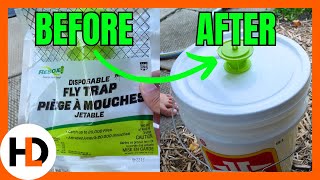
Lots of Flies? Supersize Your Flytrap
579 views

The Ultimate Mower Cleaning Hack
1.4K views