
The Kasa TP-Link KP115 Sense Integration Guide: LIVE Energy Use!
🛍️ Products Mentioned (4)
Unlock the full potential of your smart home with this comprehensive guide to connecting the TP-Link KP115 smart plug to your Sense energy monitor. Discover how this powerful combination provides live power metering, helping you understand and optimize your energy consumption. We'll walk you through the entire process, from unboxing and physical installation to configuring the Kasa app and seamlessly integrating with Sense. Learn essential tips for a smooth setup, including downloading the Kasa app, connecting to Wi-Fi, and performing firmware updates. This video covers everything you need to know to get your TP-Link KP115 up and running with Sense, ensuring you can monitor your devices with ease. Share your experiences and any energy-saving tips in the comments below, we'd love to hear from you. This tutorial simplifies smart plug integration, making it accessible for everyone. Whether you're new to smart home devices or looking to expand your existing setup, this guide offers clear, step-by-step instructions. Get ready to take control of your home's energy usage and make informed decisions with real-time data from your TP-Link KP115 and Sense monitor. Affiliate Link TP-Link KP115 - https://amzn.to/3oHD7CM Sense Monitor - https://amzn.to/3oHCNUA Sense add on Clamps - https://amzn.to/3wXNLZN Sense Compatible Power Bar HS300 - https://amzn.to/2YVgXUK As an Amazon Associate, I earn from qualifying purchases. Chapters 00:00 - Introduction to TP-Link KP115 & Sense 00:12 - Unboxing and Physical Installation 00:27 - Kasa App Download and Setup 00:40 - Connecting to Wi-Fi and Naming Device 01:06 - Firmware Updates and Testing 01:38 - Integrating with Sense Energy Monitor 01:44 - Live Power Metering and Benefits 01:59 - Final Thoughts and Reliability
🎬 More from House Dad Life
Shelly Gen 4: Homey Pro vs. Hubitat Hub
908 views
The Secret To Making 12V Batteries Last Longer!
291 views
I Laughed When My Wife Bought This... But It's The BEST Mop I've Ever Used
512 views
Incredible Clean Power at a GREAT Price
1.3K views
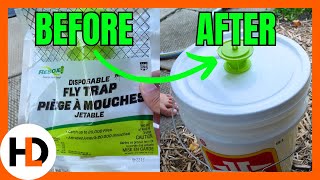
Lots of Flies? Supersize Your Flytrap
579 views

The Ultimate Mower Cleaning Hack
1.4K views