
Hubitat Dashboard on Phone? EASY Setup!
🛍️ Products Mentioned (2)
Struggling to get your Hubitat dashboard on your phone or tablet? This video is for you! While Hubitat offers incredible smart home control, setting up the dashboard on a mobile device can be a bit tricky without a clear guide. I'll walk you through the entire process step-by-step, making it super easy to access your smart home controls from anywhere. Learn how to grab that crucial cloud link and effortlessly integrate it into your Hubitat app. Discover the simple method to transform your mobile device into a powerful Hubitat control center. We cover everything from navigating the Hubitat interface to pasting the unique dashboard link and even some quick tips on resizing for optimal viewing. Get ready to experience the convenience of managing your smart home on the go. Share your own Hubitat tips and questions in the comments below – I love hearing from you and tinkering with new features! Affiliate Link Hubitat Elevation C8 - https://amzn.to/3F2NnhU Hubitat C7 - https://amzn.to/3XJ7dXf As an Amazon Associate, I earn from qualifying purchases. Chapters 00:00 - Introduction: Why This Video Helps 00:13 - Getting Your Hubitat Cloud Link 00:55 - Adding Dashboard to Mobile App 01:05 - Resizing & Customizing Your Dashboard
🎬 More from House Dad Life
Shelly Gen 4: Homey Pro vs. Hubitat Hub
908 views
The Secret To Making 12V Batteries Last Longer!
291 views
I Laughed When My Wife Bought This... But It's The BEST Mop I've Ever Used
512 views
Incredible Clean Power at a GREAT Price
1.3K views
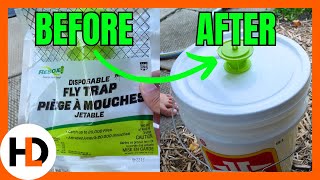
Lots of Flies? Supersize Your Flytrap
579 views

The Ultimate Mower Cleaning Hack
1.4K views