
Homey Pro: Add Any IR Device FAST!
🛍️ Products Mentioned (1)
This video dives into the essential steps for setting up your Homey Pro smart home hub, focusing specifically on adding infrared (IR) devices like your TV. We'll walk you through common challenges encountered when trying to add devices through different interfaces, highlighting a crucial tip to ensure successful device discovery using the mobile app's infrared category. Learn how to troubleshoot common issues and streamline your smart home integration process. Discover how to effortlessly connect your favorite entertainment systems and other IR-controlled gadgets to your Homey Pro. We'll demonstrate the most effective method to find and add devices, saving you time and frustration. Once your devices are connected, explore the possibilities of creating powerful automation flows to enhance your smart home experience. Share your Homey Pro setup tips in the comments below! Affiliate Link Homey Pro - https://amzn.to/48QxHuN As an Amazon Associate, I earn from qualifying purchases. Chapters 00:00 - Homey Pro Setup: Adding New Devices 00:28 - Desktop vs. Mobile App: IR Device Search Issues 00:53 - Proximity Tips for IR Device Pairing 01:23 - The Infrared Search Secret to Success 01:46 - Testing and Confirming Your IR Device 02:40 - Automating Devices with Homey Pro Flows (Next Steps)
🎬 More from House Dad Life
Shelly Gen 4: Homey Pro vs. Hubitat Hub
908 views
The Secret To Making 12V Batteries Last Longer!
291 views
I Laughed When My Wife Bought This... But It's The BEST Mop I've Ever Used
512 views
Incredible Clean Power at a GREAT Price
1.3K views
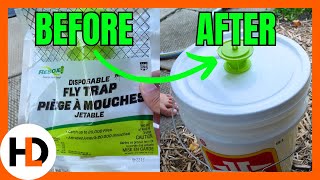
Lots of Flies? Supersize Your Flytrap
579 views

The Ultimate Mower Cleaning Hack
1.4K views