
How to Create a Month of Instagram Posts in 1 Hour With Canva | Multi-Design Canva Tutorial
🛍️ Products Mentioned (23)
Easy plug-and-play Canva templates
Our content Tracker
WE DROP NEW VIDEOS EVERY WEEK, SUBSCRIBE!
Want to work with us? Get in touch
Bit Product
Access all of our best Social Media tools and resources
Download your FREE copy of our Ultimate Instagram Checklist
Download your FREE Social Media Strategy Template
your FREE Content Pillars Blueprint template
Download your FREE Instagram Profile & Post Audit Workbook
your FREE ChatGPT Instagram Content Planning & Creation Guide
Download your free 7-Step B-Roll Guide to plan your next content shoot
your FREE copy of our Instagram Reels Checklist here
a FREE copy of our Instagram Ads Cheatsheet
We use Manychat to increase comments and DMs on Instagram through automation, try it free
We use TubeBuddy to optimize our YouTube videos
Our beautiful emails are sent with Flodesk
We use Canva for graphics
Easily plan and schedule your content with Later
We use SubMagic to caption our videos
We use Descript to edit down our short-form videos

We use this Content Creation equipment
Web
If you’re ready to start creating Instagram posts in Canva fast, this is the only video you need to learn how to batch your Instagram content with Canva — in a single design project! Want us to review your designs? 🤝 Join our membership channel for access to live Q&As + trainings, BTS vlogs, monthly resources and templates: https://www.youtube.com/channel/UCsYxr-Su3k5vRMRUUasvREw/join → WE DROP NEW VIDEOS EVERY WEEK, SUBSCRIBE! http://bit.ly/SubHSYouTube → Want to work with us? Get in touch: https://highseasonco.com/contact → Connect with us: https://instagram.com/highseasonco → Subscribe to our newsletter and become an Insider: https://bit.ly/HighSeasonNewsletter Thanks for watching: How to Create a Month of Instagram Posts in 1 Hour with Canva | Multi-Design Canva Tutorial —— ⬇️ RESOURCES MENTIONED Easy plug-and-play Canva templates: https://www.highseasonco.com/instagram-canva-templates How to use ChatGPT to build your content calendar: https://youtu.be/HT4bc0QwgPI Share these 3 posts every week to grow on Instagram: https://youtu.be/vA-Yo2sbYMM Get Canva here: https://partner.canva.com/highseason Our content Tracker: https://www.highseasonco.com/social-media-planning-content-tracker —— 📽️ WATCH THESE NEXT ‣ Use Canvas Bulk Create feature for single-design fast content creation: https://youtu.be/xm3m70Kj08g ‣ Create posts with Canva AI: https://youtu.be/dKiGNH1LRHo ‣ Create a consistent Instagram profile with Canva: https://youtu.be/tPVVydk4hHA ‣ Top Canva features you should know: https://youtu.be/70fe698YGYw ‣ How to Grow on Instagram Organically: https://www.youtube.com/watch?v=1-QcVCTqxxM ‣ How to Make Instagram Reels That Get More Reach and Views: https://youtu.be/9qQPeNsDzng —— 🕛 TIMESTAMPS 0:00 Intro to create a month’s worth of Instagram posts in Canva 0:34 How to set up your content calendar in Canva 4:51 How to organize your Instagram posts in Canva 8:02 How to create your Instagram carousels in Canva 11:34 How to create your Instagram reels in Canva 16:17 How to create your Instagram Stories in Canva 17:41 How to export your Canva designs for publishing —— 📚 MORE RESOURCES → Access all of our best Social Media tools and resources: https://www.highseasonco.com/shop → Download your FREE Social Media Strategy Template: https://bit.ly/HS2024SocialStrat → Download your FREE copy of our Ultimate Instagram Checklist: https://bit.ly/HSInstaChecklist → Get your FREE copy of our Instagram Reels Checklist here: https://bit.ly/HSReelsChecklist → Grab a FREE copy of our Instagram Ads Cheatsheet: http://bit.ly/InstaAdsChecklist → Download your FREE Instagram Profile & Post Audit Workbook: https://bit.ly/HSInstaAuditWorkbook → Grab your FREE Content Pillars Blueprint template: https://highseasonco.myflodesk.com/content-pillars-template → Grab your FREE ChatGPT Instagram Content Planning & Creation Guide: https://bit.ly/HSChatGPTContentGuide → Download your free 7-Step B-Roll Guide to plan your next content shoot → https://highseasonco.myflodesk.com/b-roll-guide —— 🛠️ TOOLS We use Manychat to increase comments and DMs on Instagram through automation, try it free: https://manychat.partnerlinks.io/nr0l9b7sxxbq-3bj59c We use TubeBuddy to optimize our YouTube videos: https://www.tubebuddy.com/highseasonco Our beautiful emails are sent with Flodesk: https://flodesk.com/c/HIGHSEASONCO Easily plan and schedule your content with Later: https://try.later.com/vj86x8tnv4g3 We use SubMagic to caption our videos: https://bit.ly/SubmagicHS We use Descript to edit down our short-form videos: https://get.descript.com/highseasonco We use this Content Creation equipment: https://www.amazon.ca/shop/highseasonco./list/2H4M0VTIMQ67R?ref_=aip_sf_list_spv_ofs_mixed_d DISCLAIMER: This description includes affiliate links which means we earn from qualifying purchases at no extra charge to you. Thanks for your support! —— 🤍 FOLLOW US: Web: https://highseasonco.com Instagram: https://instagram.com/highseasonco Threads: https://www.threads.net/@highseasonco Twitter: https://twitter.com/highseasonco Facebook: https://facebook.com/highseasonco LinkedIn: https://linkedin.com/company/highseasonco Pinterest: https://pinterest.com/highseasonco Inside this video we show you how to create a month of instagram posts in 1 hour with canva, multi-design canva tutorial, canva tutorial, canva tips, how to create a month of content, create a month of instagram content, batch create instagram content in canva, create canva instagram posts, make instagram reels with canva, make instagram carousels with canva, canva instagram post template —— WHO WE ARE: We’re Tiffany and Craig — the co-founders behind High Season Co., a Social Media agency helping business owners turn content into income. Subscribe for tutorials, systems, and behind-the-scenes of how we build content that builds trust and drives revenue.
🎬 More from High Season Co.

Instagram just revealed how to ACTUALLY get more reach... (updates and features you should know)
9.9K views

Posting Consistently Won’t Help You Grow (If You’re Not Doing This)
2.4K views

Most Business Owners Are Wasting Time on Social Media (Here’s What to Do Instead)
3.9K views

How to Create B-Roll Reels in 5 Minutes (Step-By-Step Tutorial) | Create with Confidence
4.3K views

How to Make Talking Head Reels That Keep People Watching (Tutorial) | Create with Confidence
3.8K views
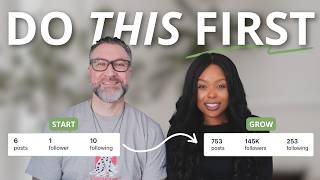
If We Were Starting Social Media for a Business in 2026, We’d Do This.
8.0K views