
HOW I ORGANIZE MY TO-DO LISTS, MEETING NOTES, PROJECTS, & PLANER: Happy Notes™ = Less Stress
🛍️ Products Mentioned (5)


"How I Organize My To-Do Lists, Meeting Notes, Projects & Planner" 🔔 Subscribe to Follow HandsOn HigherEd YouTube Channel Content 🔔 It's important to continue giving your day some structure during this time by following a schedule or routine to reduce decision fatigue & boost productivity. Learn how to prioritize your day's to-do list and create a schedule around pressing items but also building in regular breaks to allow your brain to reset and refocus, while helping you stay on task! Watch this video to learn how I have been organizing and managing my To-Do Lists, Meeting Notes, Projects, & Calendar during COVID-19! We hope you enjoy this video! Let us know what tips/tricks you have been using to manage your To-Do Lists, Meeting Notes, & Projects during COVID-19. 👇🏼 -------- 📖 Stylish Planner® ---------- Etsy Shop: https://www.etsy.com/shop/StylishPlanner Website: https://www.stylishandco.com/ Instagram: https://www.instagram.com/stylishplanners Linktr.ee: https://linktr.ee/stylishplanners DISCOUNT CODE for 25% Off: HANDSONHIGHERED25 www.etsy.com/shop/StylishPlanner?coupon=HANDSONHIGHERED25 ---------- 📝 This Classic Happy Notes™ Notebook ---------- Website: https://thehappyplanner.com/ - Daily Sheets - Classic - Classic Note Paper - Pastel Dots - Project Fill Paper - Classic - Classic Happy Notes™ - Notes - Classic Block Paper Pad - Black And White Floral - Classic Planner Companion - Modern Farmhouse - 2020 Deluxe Classic Happy Planner® - World Homebody - 12 Months - Me & My Big Ideas Happy Planner, Dashboard Classic - Be Happy Box - Stay Wild -------- 📖 About HandsOn HigherEd ---------- The field of Higher Education is hectic! With constant deadlines, competing priorities, and multiple people depending on us to get stuff done, it isn't easy to find days or even hours to attend webinars, read articles, or attend conferences; the "go to" resources for learning in our field. That's why a Tech Nerd (Alfred) + Organization Enthusiast (Annalicia) created HandsOn HigherEd, a channel where we are dedicated to providing incoming, new, and seasoned higher education professionals with a hands-on, experiential approach to addressing their daily responsibilities. Our hope is that these videos can help improve your professional skill sets on-the-go while you continue to inspire others along the way! -------- ❤️ Let's Connect On Social Media ---------- 🐦 Twitter: https://twitter.com/HandsOnHigherEd 📸 Instagram: https://www.instagram.com/handsonhigh... 👍 Facebook: https://www.fb.com/HandsOnHigherEd/ -------- 👔 Alfred & Annalicia's Professional Background ---------- Alfred and Annalicia are first generation students/professionals who have worked in higher education for 8+ years. We have worked at universities across the United States of America from the West to East coasts. ---------- 📝 Business Inquiries ---------- 👥: HandsOnHigherEd@gmail.com ---------- NOT SPONSORED ---------- 🎥: Filmed Using Filmora9 #TheHappyPlanner #HappyNotes #ToDoList #MeetingNotes #Projects #Calendar #COVID19 #WorkFromHome #HIgherEducation #HandsOnHigherEd
About This Video
Frequently Asked Questions
🎬 More from HandsOn HigherEd
HOW TO MAIL MERGE USING WORD & EXCEL: Learn these Easy & Simple Steps in Minutes
492 views

EMAIL TEMPLATE DESIGN & STRATEGIES: How to Create, Save Time, Respond Quickly, Easy Tips & Tricks
460 views
HOW TO CREATE A SUCCESSFUL HOME OFFICE DURING COVID-19: Improve Habits & Overcome Distractions
636 views
HOW TO ACHIEVE INBOX ZERO EVERY DAY: Best Productivity Hacks for Email Management Success
1.0K views
BEST EXCEL TIPS & TRICKS FOR EDUCATORS: Save Time, Boost Productivity, & Make Your Work Life Easier
1.1K views
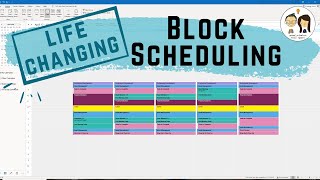
HOW TO ORGANIZE YOUR TIME USING THE BLOCK SCHEDULING METHOD: Life Changing Time Management Tips
2.5K views