
Photoshop Tutorial : Dispersion Effect with Splash Brushes
🛍️ Products Mentioned (3)
Download support file courtesy Josh Eells (creative commons)
Learn how to use the gap tool in Adobe InDesign to quickly adjust layouts. Enroll in my recently completely re-developed and updated course about Adobe InDesign; get the link by subscribing to occasional updates (unsubscribe at any time if you wan...
support files for custom brushes
In this Adobe Photoshop tutorial, I show how to create a dispersion effect with some custom brushes created from splashed paint that is then scanned. Enroll in my Photoshop Retouching, Effects, and More Master Course! Get the link by subscribing to occasional updates (unsubscribe at any time if you want!) about design education and get three free Adobe software program common keyboard shortcuts handout PDFs (Photoshop, Illustrator, and InDesign): https://forms.aweber.com/form/90/166341490.htm Download support file courtesy Josh Eells (creative commons): http://www.flickr.com/photos/40954787@N00/4827700153/ Download custom brush splash files: http://www.photoshoptutorialsandtips.com/wp-content/uploads/2012/11/splashes.zip
🎬 More from Good Creative Academy
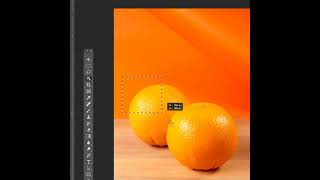
Photoshop Tutorial - Why to Mask Instead of Erase in Adobe Photoshop
216 views

Resizing and Editing Graphics in Adobe InDesign - The Complete Guide to Adobe InDesign Course
116 views

Placing Graphics and Images Effectively in Adobe InDesign - The Complete Guide to InDesign Course
138 views
Downloading and Using the Support Files in the Complete Guide to Adobe InDesign Online Course
26 views

Introduction to the Complete Guide to InDesign Course
108 views
Adding External and Internal Hyperlinks in Adobe InDesign
188 views