
How to Seamlessly Move People or Objects in Photoshop Tutorial - Content-Aware Move Tool
🛍️ Products Mentioned (3)

Learn how to move people or objects in photos using Photoshop's Content-Aware Move Tool so that the background and surrounding area blends in seamlessly after moving people or elements for a different composition. Check out a great mirrorless Canon camera I recommend: https://amzn.to/3KkJWsJ To download the same photos I use in this tutorial, here are the links: https://www.pexels.com/photo/person-in-black-long-sleeves-doing-surfing-on-water-waves-5006976/ https://www.pexels.com/photo/a-woman-playing-volleyball-6180393/ Be sure to subscribe for more Photoshop tutorials and click the bell for notifications!
🎬 More from Good Creative Academy
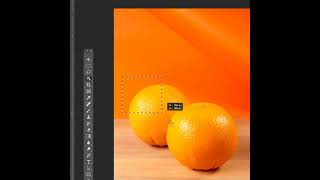
Photoshop Tutorial - Why to Mask Instead of Erase in Adobe Photoshop
216 views

Resizing and Editing Graphics in Adobe InDesign - The Complete Guide to Adobe InDesign Course
116 views

Placing Graphics and Images Effectively in Adobe InDesign - The Complete Guide to InDesign Course
138 views
Downloading and Using the Support Files in the Complete Guide to Adobe InDesign Online Course
26 views

Introduction to the Complete Guide to InDesign Course
108 views
Adding External and Internal Hyperlinks in Adobe InDesign
188 views