
How To Make A YouTube Banner
🛍️ Products Mentioned (1)
How To Make A YouTube Banner ~ FREE Follow these step by step instructions on how to create your FREE channel art. Mike from http://getmytips.com shows how anyone with a YouTube channel can do this using free online tools. In this video we will learn how to create some basic YouTube channel art. What we're going to create is not going to blow the socks off your average graphic artist, but that's ok. To create YouTube channel art you are going to have to have a photo editing program. If you don't have one like Adobe Photoshop or Adobe Photoshop Elements, you can download a free photo editing program that is open source called Gimp. YouTube requires channel art be 2560 x 1440 Pixels, which is huge. And the purpose for that is in case it is displayed on a wide screen television, it will look nice. Your YouTube channel is responsive, meaning that it will grow or shrink depending on the device it is being displayed on. This way it will look nice if it is on a cell phone, iPad, tablet, or PC, or even a television. For more visit my Youtube Channel at, https://www.youtube.com/user/GetMyTips -~-~~-~~~-~~-~- Please watch: Do you drive a car or truck? If so you need to watch this video ~ How To Check Tire Pressure Without A Gauge https://www.youtube.com/watch?v=fsOzsD6krYo -~-~~-~~~-~~-~-
🎬 More from Get My Tips
Etekcity 774 Review 🔥 Best Home Temp Gun?
47 views
The Ultimate Waterproof Power Strip! (IPX6 Certified) 💦
61 views

Stop Weight Loss Med Bloating Fast! (My Fix) 🛑
54 views
The Ultimate Jump Starter With Air Compressor! 🔥
199 views
The Cane Right Left Hand Rule: Honeybull Review 😲
194 views
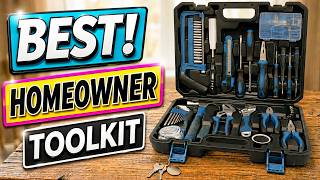
Best Housewarming Gift? The Ultimate Tool Kit 🎁
97 views