
How to Clean and Fix a Loud PS5 | Without Voiding Your Warranty
🛍️ Products Mentioned (2)
If your PS5 is showcasing symptoms like loud fan noise or turning off after a while of gaming these are most likely due to that the console needs to be cleaned from dirt and dust. Luckily this can be done without (that many) special tools and also without voiding the console´s warranty. In this video I go through how to open the console up and clean the fan as well as part of the heatsink. The console used in the video is a Standard Edition PlayStation 5 with the disc drive. The process is though fairly similar for the Slim (Digital) Edition as well. *Tools needed:* - A small brush or smilar - A Torx T8 Security screwdriver/bit - A can of compressed air or a small vacuum cleaner Towards the end of the video there are also a few other suggestions on what to try if your console is not getting any better from cleaning. Please note though that following the instructions in the videos linked below *will* void any warranty your console might have. Replace the Liquid Metal on a PS5: https://youtu.be/t6GwXigFCB4 How to Replace a PlayStation 5 Power Supply: https://youtu.be/6PkVl-Oj1lc Please share any questions in the comments below and I´ll do my best to answer them! *~* 🔥 My *#1* Tech Products of Right Now → https://amzn.to/4kgYrdP 🧰 My YouTube Video Gear → https://amzn.to/43nTOZJ
🎬 More from Get There Faster

Samsung The Movingstyle | Review | Best One So Far
673 views
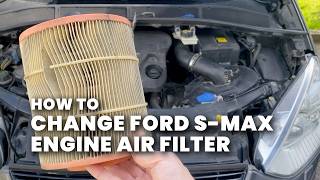
Ford S-Max 2.2 TDCi | How to Replace the Engine Air Filter
81 views

How to Pair JBL Go 5 to an Android Phone
127 views

JBL Xtreme 5 | Review | Mucho Sound!
1.5K views

JBL Go 5 | Review | The Mini Speaker to Get
1.6K views

Stumble Guys | Login Failed | How to Fix
1.2K views