
The Truth About Bazzite on Legion Go 2
🛍️ Products Mentioned (3)


If you’ve been wondering whether switching your handheld to Bazzite is worth it… this video is your sign. After using Windows on handhelds for years, I finally gave Bazzite a real chance, and the results shocked me. From instant sleep/resume, to full-resolution gaming at just 17W, to customization options that Windows can’t even dream of, Bazzite has completely changed how I use my Legion Go 2. In this video, I break down my full experience after a full week of daily use. You’ll see real performance results in Guardians of the Galaxy, my exact Decky plugin setup, the frame-generation configuration that gets me 120 stable FPS, and the surprising pros (and legitimate cons) of switching to Bazzite on any handheld. We’ll also talk about Steam game compatibility, anti-cheat limitations, Epic Games launcher issues, emulation performance, shared storage problems, and why beginners may hit roadblocks, but why the experience is ultimately worth it. Whether you’re on a Legion Go 2, ROG Ally, Ally X, MSI Claw, or any Z1/Z2 handheld, this guide will help you decide if Bazzite is right for you. Let's be best friends: https://www.instagram.com/emmagine79 📖 Chapters: 00:00 - I Was WRONG About Bazzite 00:42 - Sleep & Resume on Bazzite Is Actually Amazing 01:35 - 17W Full-Res Gaming Demo (Guardians of the Galaxy) 03:20 - My Essential Decky Plugins for Bazzite 05:10 - Steam Artwork & Customization with SteamGridDB 05:45 - Best Frame Generation Setup (Decky Frame Gen + Lossless Scaling) 06:25 - My LSFG-VK Settings for Bazzite 08:45 - HDR Still Doesn’t Work with Frame Gen (Why) 09:20 - Can You Play Non-Steam Games on Bazzite? 09:40 - Steam Game Compatibility on Bazzite (Anti-Cheat Reality Check) 10:25 - Using Proton Badges to Check Game Compatibility 11:00 - Emulation on Bazzite Is Shockingly Good 11:55 - Epic Games Store on Bazzite (Cyberpunk Example) 12:48 - Entering Desktop Mode on Bazzite 13:18 - SteamOS Keyboard SUCKS (Real Talk) 14:10 - Why You NEED a Portable Keyboard 14:40 - Shared Storage on Bazzite: Good or Terrible? 16:30 - Fixing Disk Write Errors on SteamOS/Bazzite 17:50 - The Truth: Bazzite Requires Tweaking 18:35 - How to Troubleshoot Bazzite the Smart Way 19:15 - Why Bazzite Is Still Worth It 19:55 - Legion Go 2: Why Bazzite Changes Everything 20:12 - The BEST TDP for Legion Go 2 (17W Sweet Spot) 20:48 - TDP Limits in Bazzite Are Amazing 21:10 - Dual Booting Windows from Bazzite 21:25 - The Bad News: No Xbox Game Pass on Bazzite 22:15 - Handheld Gaming: What MUST Improve 23:05 - Track Your Gaming Time with Decky PlayTime 23:17 - Why I LOVE Bazzite 24:05 - Gaming Is the Cure for Doomscrolling 24:45 - Should Beginners Install Bazzite? 25:15 - Final Thoughts & Outro 👍 Support the Channel: Like, subscribe, and hit the notification bell to get the latest tech insights and reviews. Your support fuels our passion for tech and helps us bring more content to you! Paypal: https://paypal.me/emmagine79 Buy Me A Coffee: https://ko-fi.com/geekception Get Secret Updates: https://www.instagram.com/emmagine79 edited with Gling.ai, start your edits fast today. signup: https://gling.ai/?via=geekception 🔗 Stay Connected: For more tech insights, tips, and reviews, follow us. Join our community for exclusive content and discussions! Twitter - https://twitter.com/geekceptiontech Facebook - https://www.facebook.com/geekception Instagram - https://www.instagram.com/geekception 🙏 Special Thanks: A huge shoutout to ASUS for providing this unit for review. All opinions in this video are my own, offering an unbiased look ✉️ Want Us To Check Out Your Product/Service?: Get in touch: geekception@gmail.com 📌 Keywords: #bazzite #legiongo2 #xboxrogallyx
About This Video
Frequently Asked Questions
🎬 More from Geekception

Galaxy S25 Ultra vs S26 Ultra: Should You Upgrade?
1.9K views

Galaxy S24 Ultra vs S26 Ultra: Worth Upgrading?
36.3K views
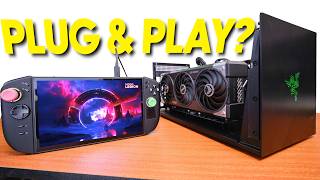
The Truth About eGPU Gaming on Xbox Ally X & Legion Go 2
8.0K views

Legion Go 2: My BIGGEST Regrets
14.7K views

Legion Pro 32UD-10 Monitor Unboxing and Review
5.0K views

This REDMI Phone Has 400% Volume Boost?
342 views