
ONEXGPU Rog Ally X Final Fantasy 16 Gameplay
🛍️ Products Mentioned (2)
Final Fantasy 16 gameplay using the ONEXGPU with the Rog Ally X on 1080p medium settings with the Ally X display. This is a very graphic intense game. It won't even boot if you don't have the right minimum requirements (check the steam page and scroll down for system requirements). Thankfully, there is a demo you can try before you commit to buy it. The FPS counter/AMD overlay is running on the top of the screen during gameplay. The Onexgpu Rog Ally X or Legion Go setup also work great with the Razer Thunderbolt 4 2M cable if you want to extend your experience to a couch or beyond... This way you can chill in handheld mode while utilizing the performance boost from the ONEXGPU 7600m XT graphics. More details below: If you enjoyed this video, hit that like button. Leave me a comment and let me know if this video helped you. Ask me questions and I'll do my best to help you. If you're new to the channel, subscribe for content on the Rog Ally X, Onexplayer X1/X1 Mini, Legion Go, ONEXGPU, guides, tips, and more cool things. 🙌🏻 Final Fanatasy XVI Game Settings: 1080p, 120Hz, V-sync Off, and Medium Graphics Preset (which enables AMD FSR 3) Rog Ally X - 17W TDP (Performance Mode), CPU Boost OFF, AMD August 2024 Drivers ONEXGPU AMD 7600m XT with Turbo On connected to Rog Ally X handheld - Connect via Thunderbolt 4 Razer 1 meter active cable Without the onexgpu, the Ally X is getting similar fsp on 1080p low settings but everything it choppy, from video scenes to battles. With the onexgpu everything was smooth throughout. Usng an external monitor set at 1080p (for this game) with the onexgpu will help with the performance. That being said, this game and the AMD drivers need some optimization help ASAP to run better with both AMD graphics cards. Link for the Razer Thunderbolt 4 cable: https://a.co/d/6dyHDgC Active vs. Passive Thunderbolt 4 cables: Active cables include technology that help boost transfer rates over cable lengths greater than 0.8M. This allows you to maintain full transfer speeds across the entire length of the cable. If you purchase a passive cable length greater than 0.8M, you are only going to receiving 20 Gbps transfer speeds. https://www.razer.com/ca-en/gaming-pc-accessories/razer-thunderbolt-4-cables Stay tuned for more! Subscribing helps me grow the channel and I really appreciate it. Thank you for the support! ✌🏻
🎬 More from Nelly - Gaming Repairs
Onexplayer 3 Storage Upgrade Guide! Proceed with Caution...
856 views
Onexplayer 3 Review and Best Accessories (X2 Mini included)
4.3K views
Onexplayer 3 Forza Horizon 6 Intel G3 Extreme (Arc B390)
4.0K views

Onexplayer 3 and X2 Mini Breakdown: Design, Specs, and Size Comparisons + A Few More New OXP Devices
5.4K views
Onexplayer Apex Borderlands 4 Gameplay (AMD 395 + 8060s)
2.5K views
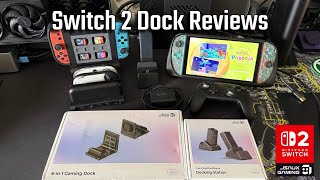
The Best Switch 2 Docks from JSAUX! Multifunctional Gaming Dock Reviews
921 views