
TVCMALL S24 Ultra E-Ink Display NFC DIY Phone Case - Show Your Own Pictures on Your Phone Case!
🛍️ Products Mentioned (2)
TVCMALL S24 Ultra E-Ink Display NFC DIY Phone Case - Show Your Own Pictures on Your Phone Case! Get it HERE https://www.tvcmall.com/details/for-samsung-galaxy-s24-ultra-e-ink-phone-case-4-color-display-nfc-diy-pattern-phone-cover-sku6601101589a.html?utm_source=Youtube&utm_medium=RichardKOL&utm_campaign=einkcase Discount code: EINKCASE8% Save 8% on your purchase! Enter the E-Ink Cover, a revolutionary accessory that redefines the norms of smartphone personalization. With its advanced e-ink screen technology, it offers a fresh avenue for making your iPhone distinctively yours, ensuring it stands out as a mirror of your unique identity. Showcase Your Style Leave bland cases behind! The E-Ink Case lets your phone reflect your individuality. From celebrities to to-do lists, mottos, logos, or pet photos, personalize endlessly. Each design transforms your case into a unique talking point. NFC Technology The E Ink Case, an energy-saving and eco-friendly phone case, uses NFC to wirelessly transmit data for screen projection. No batteries or cables are needed, it enables a customizable dual-screen experience directly on your phone case. Durable and Sleek Design Hybrid Material: Crafted from premium PC and silicone, with glass screen, provide comfortable hand grip, and durable to use Ultra-Slim Profile: Maintains the phone's original aesthetics without adding bulk, providing a non-slippery and secure grip. 4-Color Ink Screen: The image will turn into four colors ink screen after conversion Perfect Covered: All of your phone’s buttons, and switches made of textured metal features and functions work flawlessly, and convenient open access to ports and speakers. APP Installation and Login Steps: 1. Search for "AI Phone Case" on the App Store or scan the QR code to download; 2. After successful installation, enable NFC in your phone settings; 3. Login with Apple ID, Google account, WeChat, email, etc; 4. Follow the app's interactive prompts for further instructions. Use AI to Create and Refreshing Your Phone Case: 1. Choose "AI Creation", input the image description via voice or text, and click "Send"; 2. Click the AI image, then press "Screen Refreshing"; 3. Wait for the image to upload to the phone case briefly Package included: 1 x Phone Case Other items not included #ad Please Like and Subscribe! Thanks again for all your support, you guys are the reason I do this! Appreciated Luke Find me online here: http://www.X.com/galaxy_review http://www.facebook.com/galaxytechreview @tvcmall #einkphonecase #tvcmall TVCMALL S24 Ultra E-Ink Display NFC DIY Phone Case - Show Your Own Pictures on Your Phone Case! phone case E-Ink eink phone case DIY s24 s24 ultra smartphone tvcmall tvc mall e ink case iphone case tvcmall iphone image e-ink einkcase samsung samsung s24 ultra phone accessories customizable iphone case customizable samsung case photo case for iphone 15 pro max photo case for samsung s24 ultra gadgets coolest phone cases phone case ideas galaxy tech review
🎬 More from Galaxy Tech Review

UWANT Y100 Steam Spot Carpet Cleaner REVIEW
70 views

Soomfon SK3 Native 1080p Netflix Smart Home Theater Projector REVIEW
95 views

TMY T02 1080p Native Home Theater Projector REVIEW
114 views
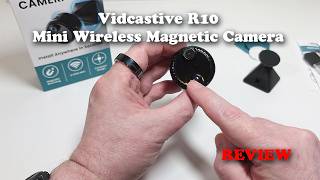
Vidcastive R10 Mini Wireless Magnetic Camera REVIEW
414 views

Aula AG75 Ultra Hall Effect Magnetic Gaming Keyboard REVIEW - It's on a NEW level!
604 views

vSeeBox V6 Plus Android TV Smart Media Player - The Best Box of 2026!
6.4K views