
Kids Got Into Everything? This Door Lock Changes Everything
🛍️ Products Mentioned (7)
Tired of finding surprises where they shouldn't be? Protect your privacy with the GHome Smart Fingerprint Door Knob!
Freebeat Product
A Beginner's Guide
Gadget Guy's Smart Home Amazon Store
OpusClip for your short content. Click my link for 30% off
vidIQ Channel Optimization
KIT for the Equipment I use
Tired of finding surprises where they shouldn't be? Protect your privacy with the GHome Smart Fingerprint Door Knob! https://geni.us/ghomesmartdoorknob. This video shows you how to install a DIY smart door knob designed specifically for interior doors, perfect for securing closets or other internal spaces with this smart home automation. We walk through setting up this smart lock, highlighting its convenience for any smart home setup. Learn how this smart door lock can bring peace of mind to your home. 🏠 In this video, we unbox, install, and test this 3-in-1 keyless entry system to see if it’s the ultimate home security upgrade for bedrooms, offices, and closets. We walk through the unique setup process, which includes configuring the GHome Smart App and biometric access before installing the lock on the door. Whether you want to secure a kid's room or a storage closet, this smart lock offers fingerprint, app, and physical key backup so you never get locked out. In this video, you will learn: Why you need interior smart locks: Solving the problem of kids or guests accessing private closets. 3 Ways to Unlock: Using the fingerprint sensor, mobile app, or emergency physical key. Easy App Setup: How to pair the device via Bluetooth and register fingerprints for the whole family. Step-by-Step Installation: Removing your old doorknob and installing the GHome smart knob in minutes. GHome Smart Fingerprint Door Knob! https://geni.us/ghomesmartdoorknob (Amazon) Don't forget to LIKE and SUBSCRIBE for more smart home tech reviews! Vide Timestamps 00:00 – Intro: Why you need a smart lock for interior doors 00:23 – Unboxing & Main Features (Fingerprint, App, Key) 02:01 – Setting up the GHome Smart App & Pairing 02:51 – registering Fingerprints & Adding Members 04:14 – Removing Old Knob & Installing GHome Smart Lock 06:20 – Final Test: Fingerprint vs. App vs. Physical Key This video is not sponsored. Some product links are affiliate links, so if you purchase from one of our links, we might receive a small commission. 🛍️Use code FREEBEATAI for 10% OFF your first payment - 🌐freebeat.ai https://freebeat.ai/#via=Simpleailife 📘 📙FREE PDF - Designing Your Smart Home: A Beginner's Guide - https://kit.cloud9teck.com/designing_your_smart_home 🏠 Gadget Guy's Smart Home Amazon Store - https://amzn.to/3DeGbBD 📹 Check out OpusClip for your short content. Click my link for 30% off ➡️ https://opus.pro/gadgetguyzgadgets30 📹 vidIQ Channel Optimization ➡️ https://vidiq.com/cloud9teck 🛍️ Check out my KIT for the Equipment I use ➡️ https://kit.co/gadgetguyz/my-recording-equipment Follow me on Social Media 🔵 Facebook ➡️ https://www.facebook.com/gadgetguyssmarthome 📸 IG ➡️ https://www.instagram.com/ugcwithrobert 🐦 X ➡️ https://twitter.com/ugcwithrobert 🎶 TikTok ➡️ https://www.tiktok.com/@ugcwithrobert As an Amazon affiliate, I earn from qualifying purchases without affecting your costs. 🤝 If you find this content useful, please give it a thumbs up 👍, and don't forget to subscribe for more reviews and unboxings. 🔔 We appreciate your support! 🙏
🎬 More from Gadget Guy's Smart Home
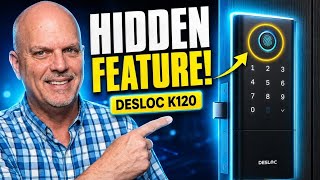
This Smart Lock Has a Secret Feature | DESLOC K120 Unboxing
134 views

Say Goodbye to Backyard Bugs! WOWCatch LED Bug Zapper Review
136 views
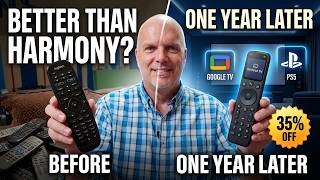
SofaBaton X1S One Year Later: The Ultimate Logitech Harmony Replacement? (35% OFF)
106 views
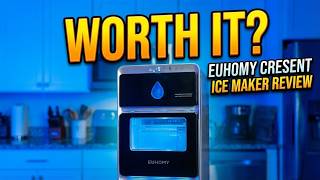
Euhomy Countertop Crescent Ice Maker Review: Premium Slow-Melt Ice at Home?
496 views

The Ultimate Travel Charger? mFish Super Mushroom 40,000mAh Unboxing
2.2K views
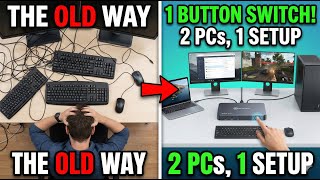
Control Two Computers With One Keyboard and Mouse: AV Access iDock C10 Review
2.6K views