
Transferring Your IRA to Robinhood? Watch This First
This robinhood tutorial walks you through the process of transferring your retirement account, covering both 401ks and roth ira accounts. I explain how to complete a rollover directly within the app, demonstrating each step for efficient retirement planning. It's a straightforward guide for anyone looking to consolidate their investing accounts. Learn how to transfer your 401k or IRA to Robinhood in this step-by-step guide. Discover the process, key tips, and how to make your retirement account rollover smooth and easy. Earn up to $200 in free stocks signing up for Robinhood - https://www.financial-tutor.com/Robinhood In this video, I walk you through the step-by-step process of transferring your 401(k) or IRA to Robinhood. Whether you're rolling over a traditional or Roth IRA, or moving an old 401(k), I cover all the key steps, from setting up your Robinhood retirement account to completing the transfer. I also explain the benefits of using Capitalize to simplify the rollover process and ensure everything goes smoothly. By the end, you'll know exactly what to expect during the transfer and how to track the status of your funds in the Robinhood app. Like this content? Subscribe here: / @FinancialTutor ▬Contents of this video▬ 0:00 - Intro 0:14 - Transfer Retirement Account to Robinhood 3:53- Outro #Robinhood #retirementinvesting #401k #retirementaccounts #robinhoodportfolio In this detailed guide, I walk you through the process of transferring your retirement account—whether it’s a 401(k) or IRA—into Robinhood. Whether you're rolling over a traditional or Roth IRA, or moving an old 401(k), this video will cover all the steps you need to know to make the transfer as smooth as possible. I’ll explain how to get started by setting up your retirement account within the Robinhood app and how to find the right rollover option depending on the type of account you're transferring. One of the highlights of this process is using Capitalize, a third-party service that simplifies the rollover. I share why I chose Capitalize for my 401(k) transfer and how it helped me avoid common mistakes and paperwork hassles. Using Capitalize, you’ll get pre-packaged materials, clear instructions, and even deposit info, which makes the whole process faster and more streamlined. This is especially helpful if you’re transferring from a provider that still requires physical checks to complete the transfer, as I explain in my personal experience. Throughout the video, I also demonstrate how to track your transfer status in the Robinhood app, ensuring you’re always in the loop about where your funds are in the rollover process. You’ll see how simple it is to monitor the status of your account once the transfer begins, so you can relax knowing your funds are being moved securely. I also touch on what to do if your old retirement provider isn’t listed within the Robinhood app, and how to handle it with ease. By the end of the video, you’ll have a solid understanding of how to move your retirement savings into Robinhood—whether you're consolidating your 401(k) or IRA or simply making the switch to Robinhood’s platform for better management and investing options. With this step-by-step breakdown, you’ll be ready to transfer your funds and start growing your retirement portfolio with confidence. -------------------------------------------------- Enjoyed the video? Like, comment, share, and subscribe with the 🔔 to join me on my journey to financial freedom! Useful Links: ⚠️Subscribe - https://www.youtube.com/@FinancialTutor?sub_confirmation=1 👨💻Website - https://www.financial-tutor.com/ 💰Monthly Side Hustle Reports - https://www.financial-tutor.com/sidehustles 🎙Podcast - https://www.financial-tutor.com/Podcast ☎️Schedule 1-on-1 Call - https://www.financial-tutor.com/1-on-1-Call 🏆YouTube Membership - https://www.youtube.com/channel/UCAPcWPgbQmFrnMbgU4wYu5A/join Social Links: 📲Tiktok - https://www.financial-tutor.com/TikTok 📸Instagram - https://www.financial-tutor.com/Instagram 📬Contact us - https://www.financial-tutor.com/more Exclusive deals for watching Kevin - Financial Tutor 💻Shopify - https://www.financial-tutor.com/Shopify 🏡Airbnb Host - https://www.financial-tutor.com/Airbnb 📝Fiverr - https://www.financial-tutor.com/FiverrFirstOrder 🌰Acorns (investing app) - https://www.financial-tutor.com/Acorns 🐮MooMoo (investing app) - https://www.financial-tutor.com/MooMoo 🤖Pionex (crypto bot app) - https://www.financial-tutor.com/Pionex 👨⚖️Disclaimers: Some links are affiliate links, meaning I earn a commission at no extra cost to you—helping fund more videos and keeping the channel alive (affiliate links are basically the unsung heroes of this channel)! I’m not a financial advisor. This video is for entertainment only and not financial advice. You are solely responsible for your financial decisions. https://www.financial-tutor.com/more
🎬 More from Kevin - Financial Tutor 💰
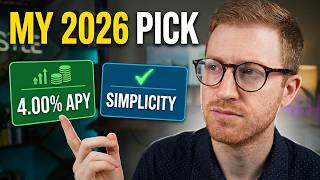
The ONLY High-Yield Savings Accounts Worth Opening in 2026
43 views

I turned my 7-year-old's idea into a real Amazon book (here's what happened)
154 views

Mortgage Recasting: Is It Better Than Refinancing?
634 views

Betterment: How to Get Started (2026) + Is It Worth It?
454 views

6 Years With Amazon Prime Visa | What They Don't Tell You
423 views

Eureka App Real or Fake
1.0K views