
Obsidian's Typora-Style Editor is Here! | Obsidian App
🛍️ Products Mentioned (8)
My YouTube Gear
Obsidian
Todoist
Newsletter
Readwise
2. Go deeper with Obsidian
3. Ask your productivity or PKM question and get it answered by Justin
Sunsama
We now have the feature we've been waiting for since the inception of Obsidian in 2020 -- a WYSIWIG, live-preview, Typora-style editor! In this video, we break down how to turn on the Obsidian live preview editor, how it works, and why you should use it. NOTE: This is a corrected version of a video I published previously that had some factual errors in it. Sorry about that! 🧠 Get the COURSE: https://obsidianmadesimple.com === ASK Effective === Get your question answered LIVE: https://airtable.com/shrJI8e1bPZ7uCJqd === FOLLOW Effective === 🏡 Become a MEMBER: https://thinkeffective.co/join 📢 Twitter: https://twitter.com/_thinkeffective 🔗 LinkedIn: https://www.linkedin.com/in/justin-dirose-7575b965/ === GEAR === 🎥 My YouTube Gear: https://kit.co/justindirose/creator-gear === PKM Stack === 📝 Obsidian: https://obsidian.md 📖 Readwise: https://readwise.io/justin (affiliate) ✅ Todoist: https://todoist.com 📆 Sunsama: https://sunsama.com
🎬 More from Effective

How to Pair Notebooks with Digital Productivity Tools
1.6K views

Best Note Taking Tool for Generalists
718 views

5 years of productivity advice in 11 minutes
1.1K views

This might change productivity for you in 2025
723 views

Reflecting on my year of productivity (2024)
496 views
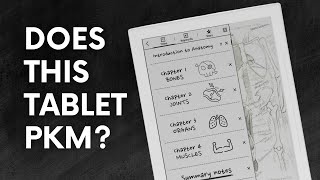
Supernote A6 X2 Nomad: The Ultimate Notebook Replacement? | Will It PKM?
11.9K views